Online Examination System Project in PHP & MySQL
A working PHP + MySQL online exam system with its source code, a 7-table database, a project report template and 29 viva questions — written from this project's own code. A PHPGuru-developed product.
One-time payment · instant download · optional installation add-on · non-refundable
Project overview
The Online Exam / MCQ Test System is a web application for a teacher, trainer or institute to run timed multiple-choice tests. The administrator creates an exam with a title, a time limit in minutes and a pass percentage, adds questions with four options, one correct option and a mark value, and publishes the exam when it has at least one question. Candidates open a public link, enter their name and email address and start the test; no candidate account is needed. The time limit is enforced on the server from the recorded start time, with a 30-second grace allowance, and the countdown shown in the browser submits the form automatically at zero. On submission the server grades the answers against the correct options, which are never sent to the browser, and records the score, total and pass or fail. Each email address can attempt an exam once; an unfinished attempt can be resumed with the same link. A results page lists every attempt with its status, and shows the average score and the pass rate. The system is written in PHP with a MySQL database of 7 tables (3 shared system tables and 4 for the exam workflow), uses prepared statements and CSRF protection throughout, and runs on XAMPP or any shared hosting.
- Size
- Mini project / BCA project (about 760 lines of PHP, 7 tables)
- Technology
- PHP 7.4+ (tested 8.5) · MySQL 5.7+ (tested 8.0) · plain PHP + Bootstrap 5
- Database
- MySQL, 7 tables
Who it's for
- BCA / B.Sc IT students who need a working mini project with a report and viva preparation.
- MCA / B.Tech students who want a solid base to extend — the report lists future work you can build on.
- Teachers or coaching centres who want a simple online MCQ test system on their own hosting.
Modules
Authentication
Administrator login with bcrypt passwords, lockout after repeated failed attempts per IP, logout and change password.
Tables: admin_users, login_attempts
Exam management
Create and edit exams with title, time limit and pass percentage; draft or published; publishing requires at least one question.
Tables: exams
Question bank
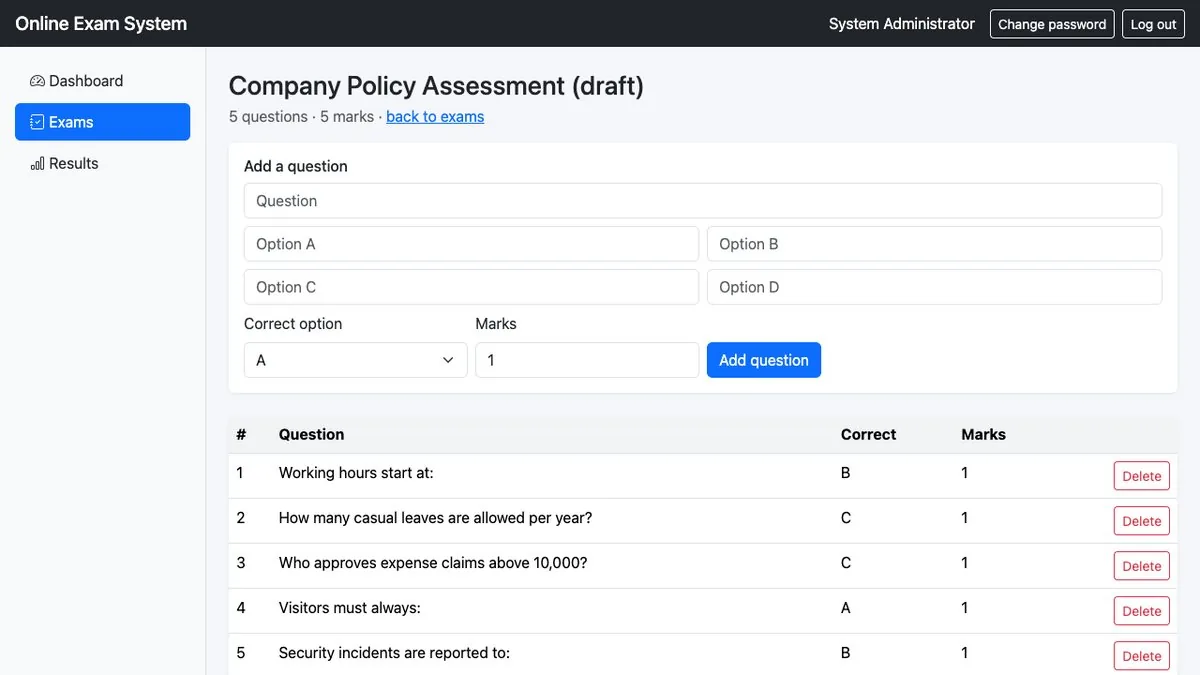
Add and delete multiple-choice questions with four options, the correct option and marks; locked once the exam has attempts.
Tables: questions
Candidate attempt
Public start page with name and email; one attempt per email; resume an unfinished attempt; a random 32-character token identifies the attempt.
Tables: attempts
Timed test and grading
Server-side time limit with a 30-second grace period, browser countdown with auto-submit, grading against stored correct options, exactly-once result recording.
Tables: attempts, answers, questions
Results
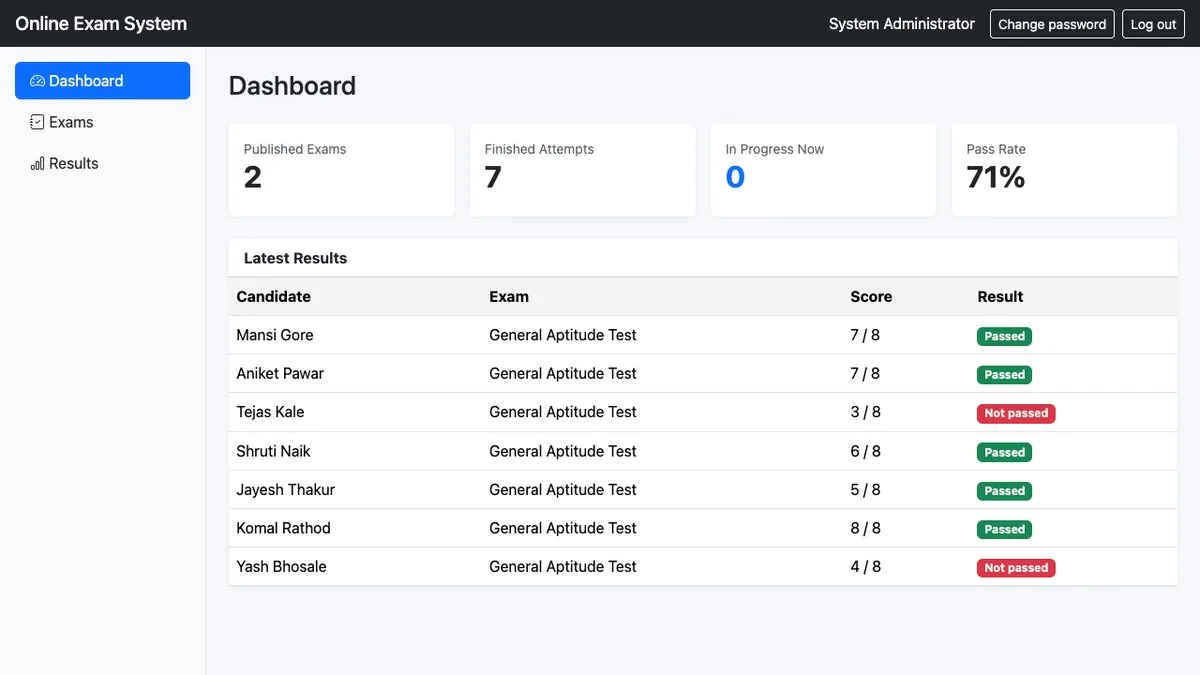
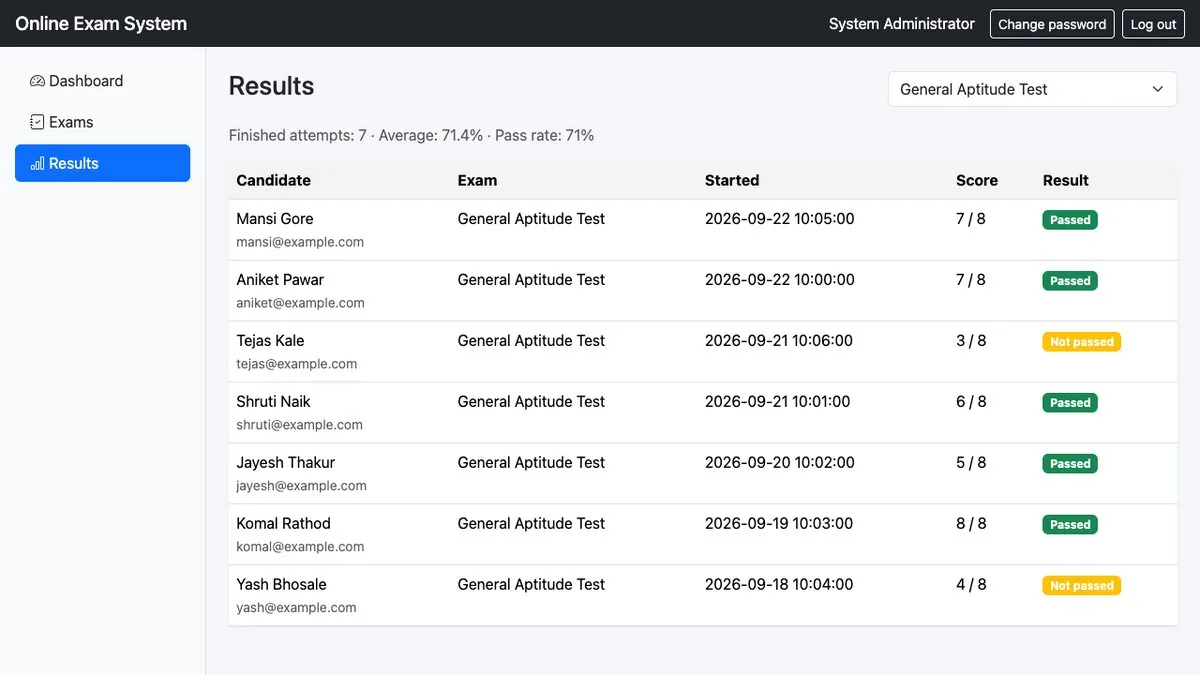
All attempts per exam with status, score and pass/fail; average score and pass rate of completed attempts.
Tables: attempts
Not included: proctoring such as webcam or tab-switch monitoring, question randomisation, negative marking, image or code questions, and candidate accounts.
Screenshots
From the real application.
Database design
| Table | Purpose |
|---|---|
| exams | One row per exam: title, duration_minutes, pass_percent and status (draft or published). |
| questions | Questions of an exam with four options (opt_a…opt_d), the correct option and marks. Deleted with their exam. |
| attempts | One row per candidate attempt: random token, name, email, start and submit times, score, total, passed and status (in_progress, submitted, timed_out). The unique key (exam_id, candidate_email) allows one attempt per email. |
| answers | The option chosen for each question in an attempt; the primary key (attempt_id, question_id) stores one answer per question. |
| admin_users, login_attempts, counters | Shared system tables: administrator login, login lockout, counters. |
Project report (preview)
A Word document you complete with your own name, college and screenshots. Its tables are read from the project's real database file, so the report matches the code you get. Chapters:
- Introduction
- System Analysis
- System Design
- Database Design
- Implementation
- Testing
- Screenshots
- Conclusion and Future Scope
- References
- Appendix A — All tables in the database
Objectives (from Chapter 1)
- Let the administrator create exams with a time limit (minutes) and a pass percentage, kept as draft until ready.
- Maintain a multiple-choice question bank per exam with four options, one correct option and marks per question.
- Let candidates take a published exam from a public link with only their name and email.
- Enforce the time limit on the server from the recorded start time, with a short grace period.
- Grade answers automatically on submission and record score, total and pass/fail exactly once.
- Allow one attempt per email address per exam, with resume of an unfinished attempt.
- Show each exam's results with the average score and the pass rate.
Sample test cases (from Chapter 6)
| Case | Input | Expected |
|---|---|---|
| Login with valid credentials | admin / admin123 | Dashboard opens; reminder to change the default password |
| Publish an exam without questions | Status = Published on an exam with 0 questions | Refused: 'Add at least one question before publishing this exam.' |
| Start an exam with an invalid email | Name 'Asha', email 'asha@' | 'Please enter your name and a valid email address.' |
| Second attempt with the same email | Same email after submitting | 'This email address has already taken this exam.' |
The full report has 10 test cases.
Viva questions (sample)
5 of the 29 questions in the pack, with model answers.
Explain your project in one minute.
It is an online MCQ examination system in PHP and MySQL. The administrator creates exams with a time limit and pass percentage, adds questions with four options and marks, and publishes them. Candidates open a link, enter name and email, and take a timed test. The server grades the answers, records the score and pass or fail, allows one attempt per email, and shows results with the average score and pass rate. There are 7 tables.
Why are the correct answers not sent to the browser?
Anything in the page can be read from the source or developer tools. The test page selects only the question text and options; grading happens on the server after submission.
How is the time limit enforced?
From started_at stored in the database. test.php calculates seconds_left with TIMESTAMPDIFF; after the limit plus 30 seconds the attempt is marked timed_out. The JavaScript timer only displays time and auto-submits.
What happens if a candidate submits twice?
The UPDATE only runs WHERE status = 'in_progress', inside a transaction; answers are saved only if it changed one row, so the second submit does nothing.
How do you allow only one attempt per email?
exam.php checks for an existing attempt for that exam and email, and the database has a unique key on (exam_id, candidate_email).
Installation
- Install XAMPP and start Apache and MySQL.
- Copy the exam_system folder to htdocs.
- Create a database in phpMyAdmin and import sql/schema.sql.
- Open config.php and set DB_HOST, DB_NAME, DB_USER and DB_PASS.
- Open http://localhost/exam_system/login.php and log in with admin / admin123, then change the password from the top bar.
Requirements (README): PHP 7.4+ (tested on PHP 8.5), MySQL 5.7+ or MariaDB 10+ (tested on MySQL 8.0), the mysqli extension (enabled by default on virtually all PHP hosting).
What you'll learn
- Sessions, login with bcrypt hashing and lockout after failed attempts
- Prepared statements (SQL-injection safe) and CSRF tokens
- Enforcing a time limit on the server, not just in JavaScript
- Transactions and an exactly-once update for grading
- Database design with foreign keys, a unique key and a composite primary key
FAQ
Is this suitable for a final-year project?
It is a complete, working mini project: Mini project / BCA project (about 760 lines of PHP, 7 tables). Many colleges accept projects of this size for BCA or as a mini project; for a larger MCA or B.Tech final-year project, check your college's requirements and plan to extend it (the report lists future work you can implement).
What exactly is in the download?
The full PHP source code, the database file (sql/schema.sql, 7 tables), a README with installation steps, and a college-project-pack folder with a project report template (Word), 29 viva questions with model answers, and a README on using the pack honestly.
Will it run on XAMPP?
Yes. The README requires PHP 7.4+ and MySQL 5.7+ or MariaDB 10+; it was tested on PHP 8.5 with MySQL 8.0. Installation is five steps (shown above).
Can I change the code and present it in my viva?
You can modify it — the licence allows modification. Your report should say where the base code came from (the report includes an attribution paragraph); follow your college's rules on declaring third-party code.
Can I see it before buying?
There are preview pages: real screens of the application with sample data, read-only. Use the "See preview pages" button. The full working system is in the download.
Can you install it for me?
Yes. Installation on your hosting is an optional add-on at checkout (₹1,999).
Can I get a refund?
Purchases are non-refundable. If something does not work as described, raise an issue from your orders page and we will help you fix it.