Diet & Meal Planner Pro · for Dietitians & nutritionists
A practice website with paid programmes, client accounts and meal plans — for dietitians
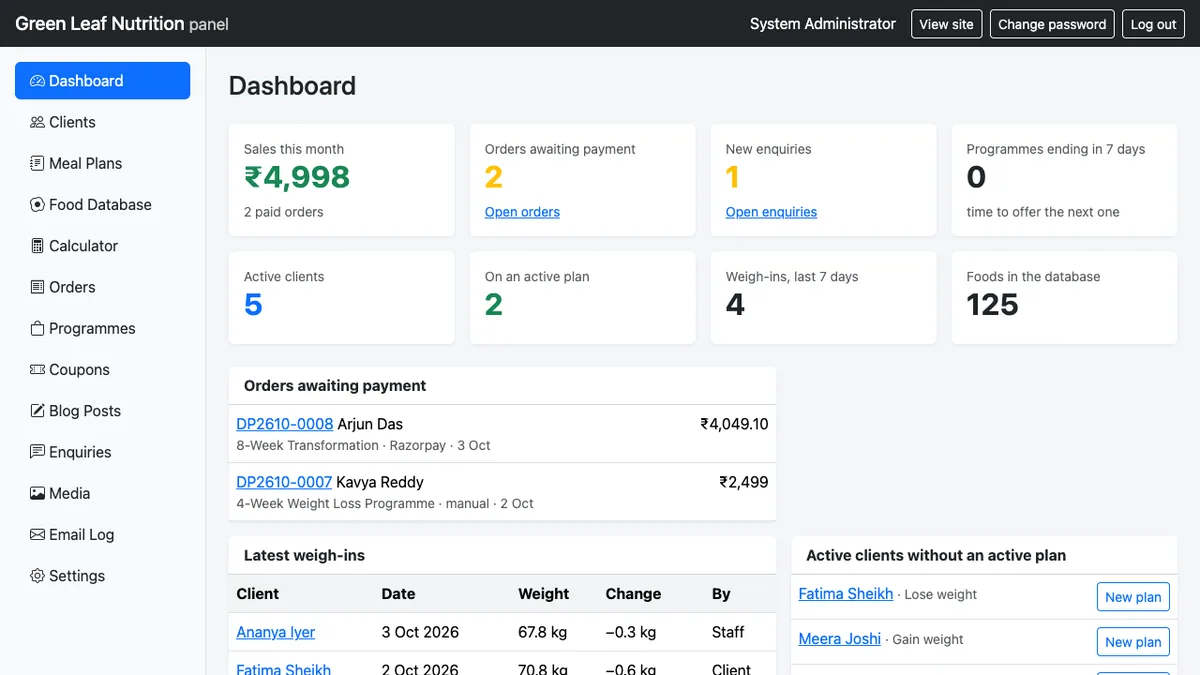
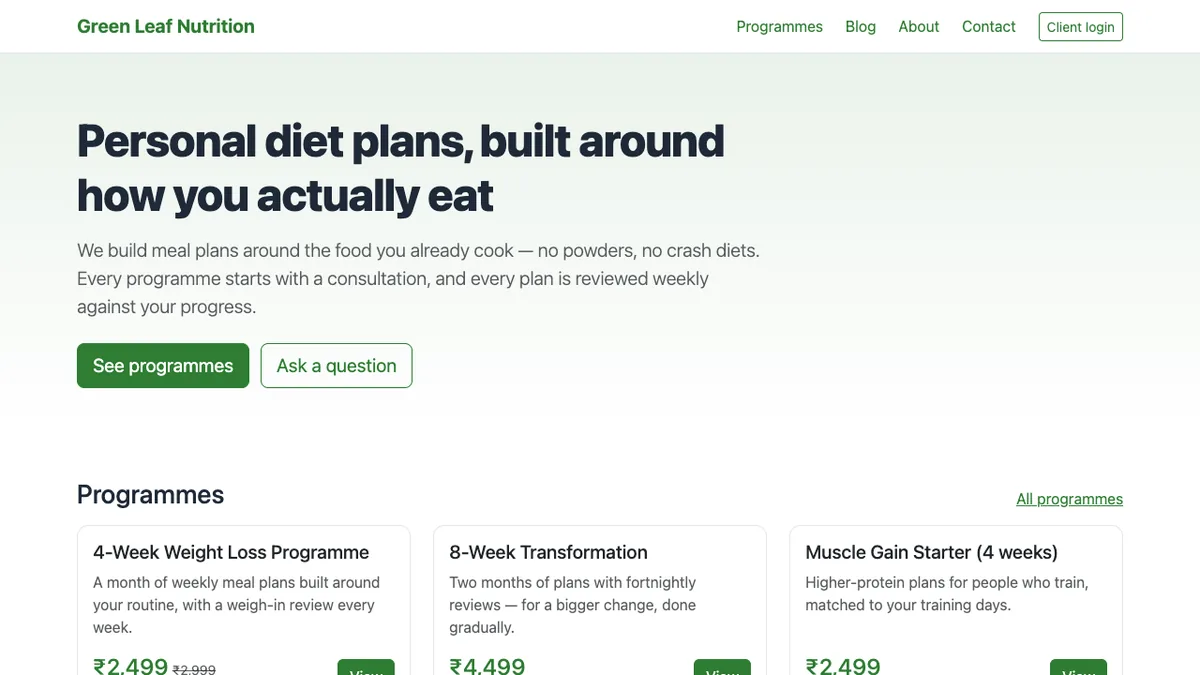
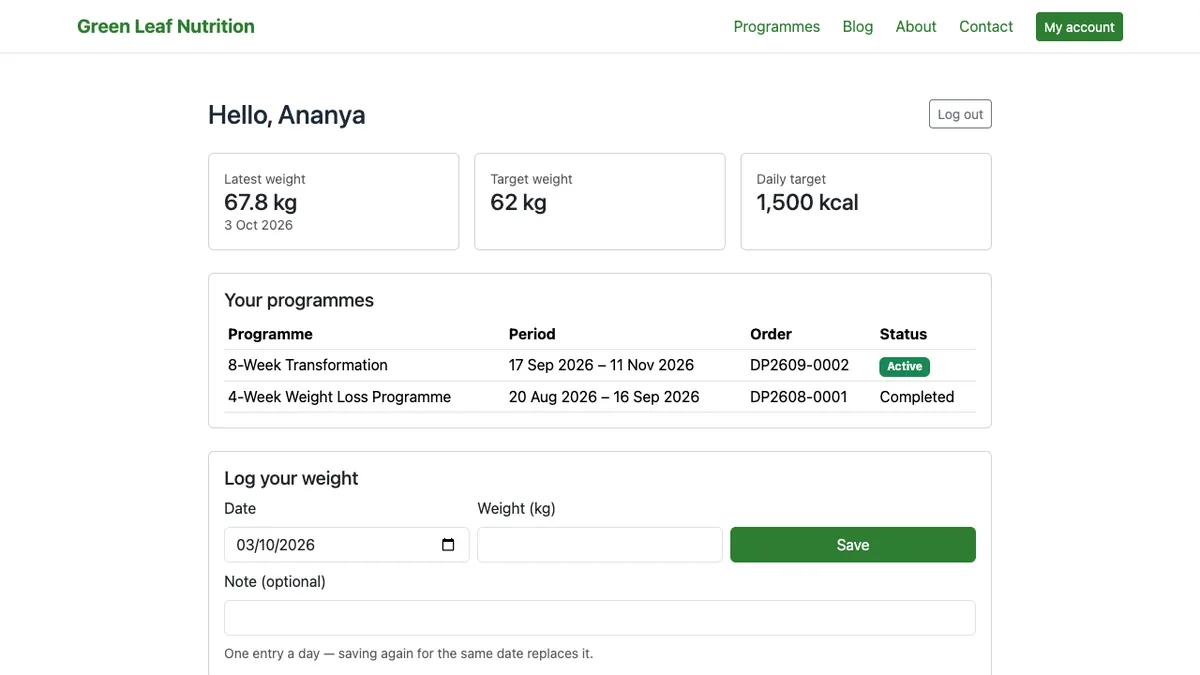
One install runs the practice: a public website with your programmes for sale, Razorpay checkout on your own keys, client accounts that show each client their plan and weight chart, and the full meal planner with a 125-food USDA database and plans of 1–14 days against a target.
One-time payment · full source code · instant download · optional installation add-on · non-refundable
Sound familiar?
- The website, the payment page, the client's plan and the weight log live in four different tools.
- Platforms for nutrition practices charge per client per month, so growth costs more every month.
- Plans are built in a spreadsheet and sent as PDFs that clients lose.
- Payments arrive by UPI screenshot and the programme dates are tracked by memory.
How it works
- 1
Set up the practice
Add your name, logo and colour, write the programmes (price, duration, what is included, a "was" price for offers), paste your Razorpay keys — or use manual mode and confirm payments yourself.
- 2
Sell and onboard
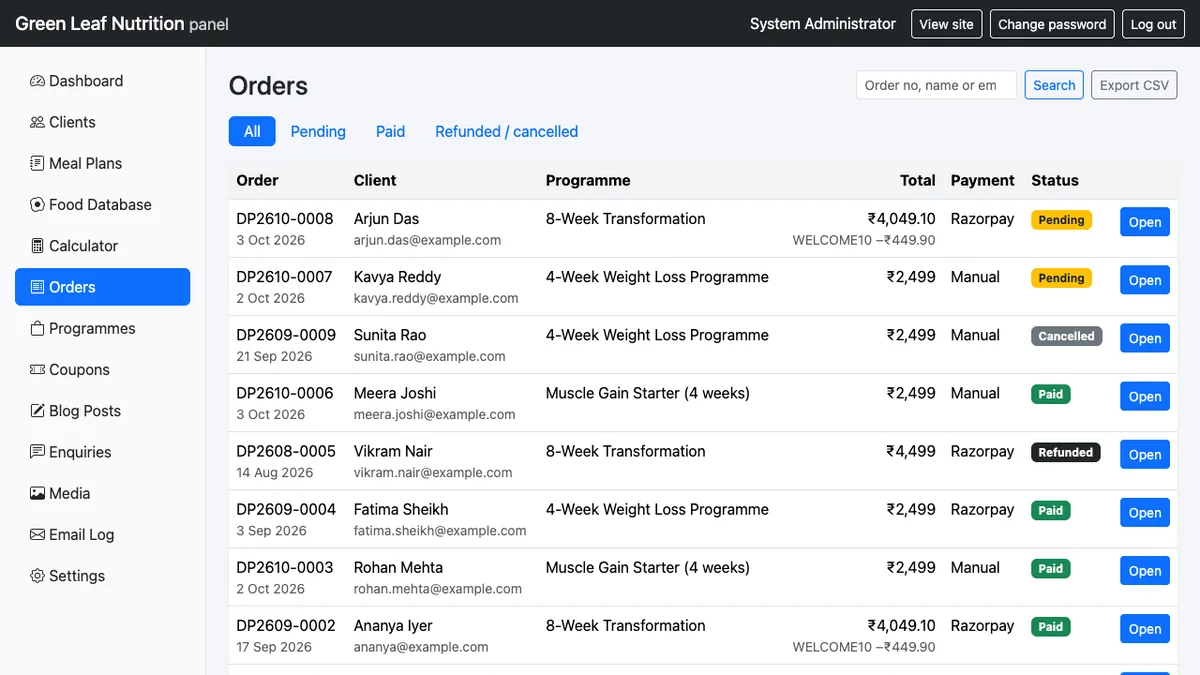
A client buys a programme on the website; the paid order creates their client record and emails them a link to set a password — exactly once, even if Razorpay confirms twice. Coupons, orders and CSV export are in the panel.
- 3
Plan and follow up
Build the meal plan day by day from the food database with totals against the target and diet-preference enforcement; the client sees the active plan and logs weight with a chart in their account.
Nothing is changed in your ad accounts automatically: every recommendation is approved and applied by you, and drafted campaigns arrive paused.
What you get
- Public website: home, programmes, blog, about, contact — branded from the panel
- Programmes for sale with Razorpay (UPI, cards, net banking, wallets) using your own keys, server-side signature verification and a webhook; or manual payment mode
- Orders panel with pending/paid/refunded/cancelled, search, CSV export; coupons with limits and expiry
- Client accounts: programmes with dates, the active meal plan, weight log with chart, forgot-password flow
- The full Diet & Meal Planner: client profiles, BMI and energy estimates, 125-food USDA database, 1–14-day plans with totals, templates, copy-day, print view
- Blog with SEO fields, enquiries inbox, email log; one-time purchase, your own hosting
The full list of what is in the download (11 items from the README) is on the product page.
Screenshots
From the application itself, with sample data.
A good fit if… and not if…
Good fit
- Independent dietitians and nutritionists selling programmes online
- Practices that want client logins without a per-client subscription
- Anyone already on Razorpay (or happy to confirm payments manually)
Not the right tool when
- Clinics needing appointment scheduling or several staff logins (one staff login)
- Automatic plan generation — plans are built by the practitioner
- GST invoicing, or holding money: Razorpay pays you directly
Questions dietitians & nutritionists ask
Does it give diet advice?
No. It is a website and planning tool for a qualified practitioner: energy estimates are limited to adults and every plan is written by you.
Which payments work?
Razorpay with your own account and keys (UPI, cards, net banking, wallets), verified server-side, with a webhook; or Manual mode where you confirm the payment yourself.
What do clients see?
Their programmes with dates, the active meal plan, a weight log with a chart, and a forgot-password flow. The private plan link from the Lite edition also still works.
Is the Lite edition enough for me?
The Diet & Meal Planner (Lite) is the planner alone — clients, food database, plans, print view — without the website, payments and client accounts. Start there if you do not sell online.
Can I change the design?
Name, logo and colour come from the panel; anything beyond that is yours to change in the source code, or a PHP Guru can quote it.
Is my data on my server?
Yes. Everything runs on your hosting; the only outside service is Razorpay for payments.