Event Registration & Check-in Manager · for Colleges, clubs & communities
Event sign-ups with limited seats, ticket codes and a check-in desk
Create the event with a date, venue and seat count, share the public sign-up page, and let the system hand out unique ticket codes. Seats cannot be oversold even when a hundred people register at once, a code checks in exactly once at the desk, and the dashboard shows seat-fill bars for upcoming events.
One-time payment · full source code · instant download · optional installation add-on · non-refundable
Sound familiar?
- Sign-ups in a form overshoot the hall capacity and someone has to disinvite people.
- The same person registers three times with the same email.
- At the door, the list is a spreadsheet and the queue grows.
- Ticketing platforms take a cut and want a payment gateway you may not need.
How it works
- 1
Create the event
Date, venue, total seats and a ticket price (or free, for your records).
- 2
Open sign-ups
Share the public page — no login needed. One registration per email per event; cancelling frees the seat and the email; every registration gets a unique ticket code.
- 3
Check in at the desk
Enter the code: it works once, cancelled tickets are refused. The dashboard shows upcoming events and seat-fill bars.
Nothing is changed in your ad accounts automatically: every recommendation is approved and applied by you, and drafted campaigns arrive paused.
What you get
- Events with date, venue, total seats and ticket price (or free)
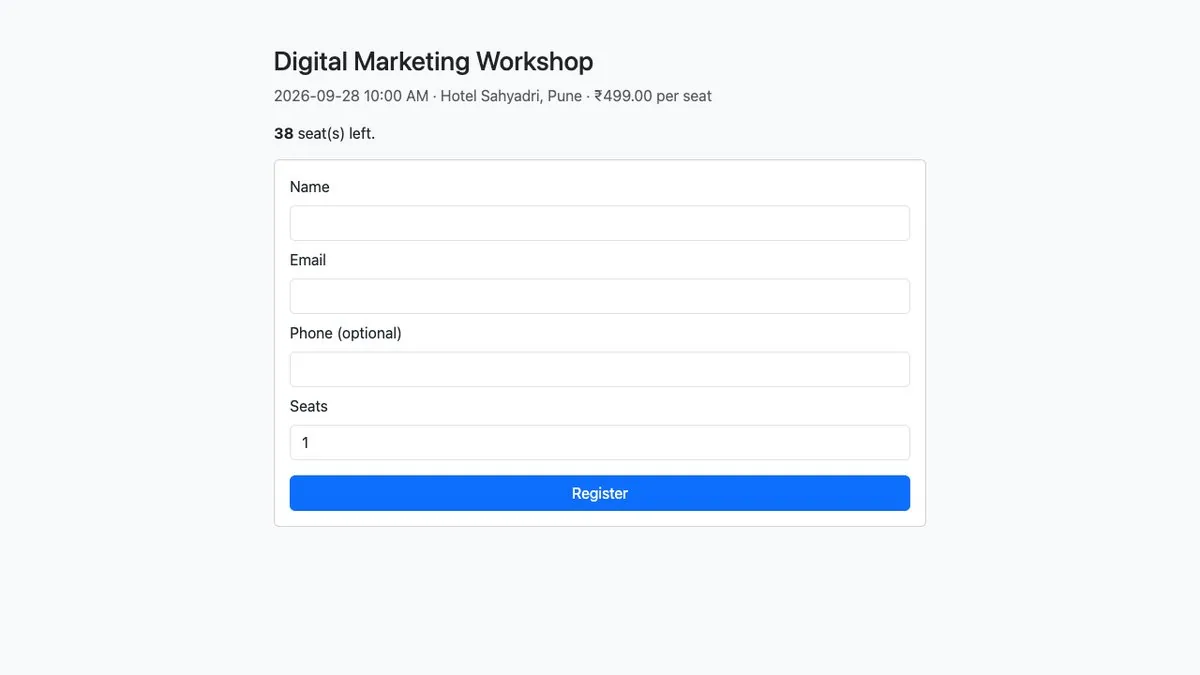
- Public sign-up page per event; seats can never be oversold
- One registration per email per event; cancellations free seats and emails
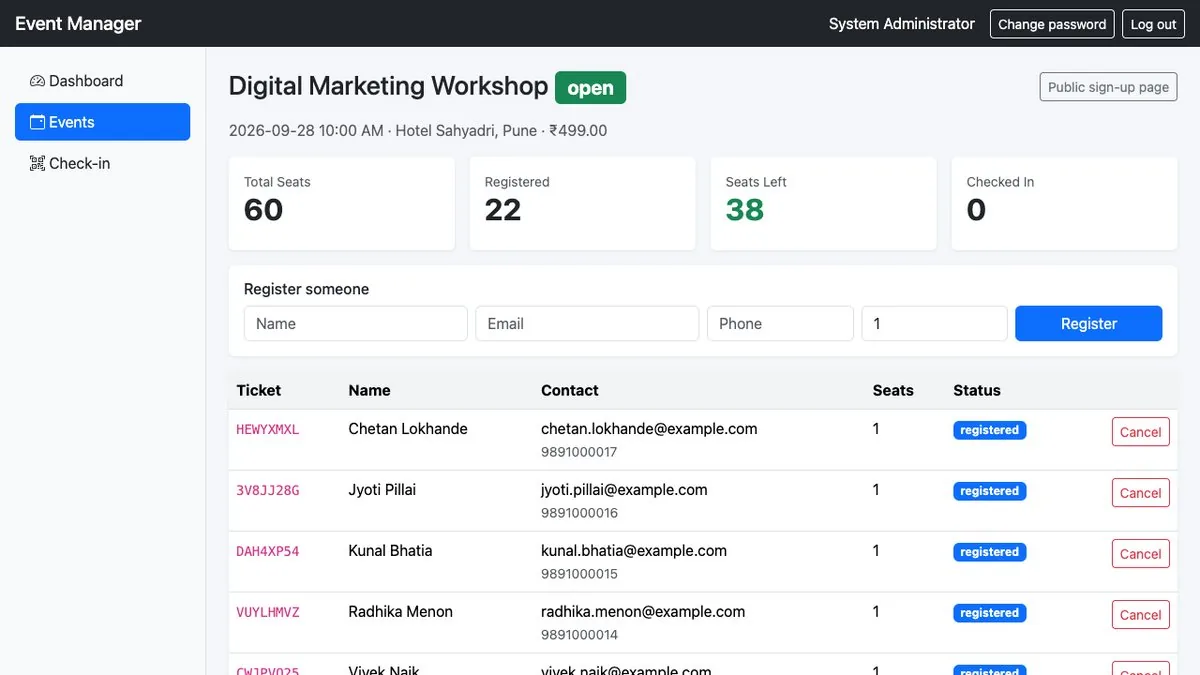
- Unique ticket codes; check-in desk where a code works once
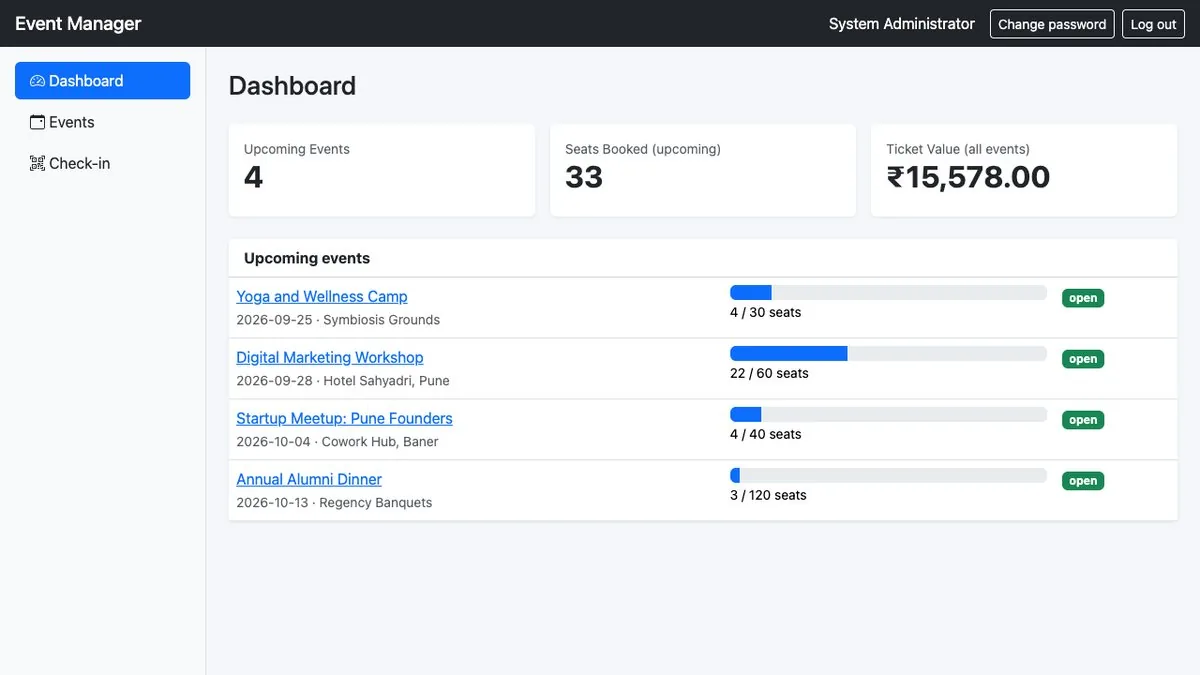
- Dashboard with upcoming events and seat-fill bars
- Full PHP + MySQL source code; one-time purchase
The full list of what is in the download (8 items from the README) is on the product page.
Screenshots
From the application itself, with sample data.
A good fit if… and not if…
Good fit
- College fests, workshops, club meetups and community events with a seat limit
- Organisers who collect payment separately (or run free events)
- Developers delivering registration for a client's event
Not the right tool when
- Online payment collection (price is recorded, not charged)
- Emails, QR codes or PDF tickets
- Waiting lists or multiple ticket types
Questions colleges, clubs & communities ask
Does it take payments?
No. The ticket price is recorded for your reference and the dashboard value; you collect money separately.
Does it email the ticket?
No. The code is shown on the confirmation page; attendees keep it or you send it yourself.
Can someone register twice?
Not with the same email for the same event; cancelling frees the email again.
Can a ticket be used twice?
No — a code checks in once, and cancelled tickets are refused at the desk.
Multiple ticket types or waiting lists?
Not in this edition.
Can I see it first?
Yes — preview pages with sample data.