Quotation Maker · for Contractors, suppliers & agencies
Itemised quotations with validity, acceptance and revisions
Build the quote line by line with discount and tax, send it with a valid-until date, and track whether it was accepted, rejected or simply expired. Changes after sending become a linked revision, so the original is never rewritten — and the dashboard shows your win rate and the quotes about to expire.
One-time payment · full source code · instant download · optional installation add-on · non-refundable
Sound familiar?
- Quotes live in a document template; the version the client accepted is not the version in your folder.
- A quote from March is accepted in June at March prices because nobody set a validity.
- Totals with discount and tax come out a rupee off and the client notices.
- Nobody knows the win rate, so pricing is guesswork.
How it works
- 1
Quote
Client, line items with quantity, unit price, discount % and tax %; totals are worked out in paise so every quote adds up exactly; numbers run QT-00001… and never repeat.
- 2
Send and track
Sending locks the items and starts the validity clock; mark accepted or rejected, and a sent quote past its date shows as Expired and cannot be accepted.
- 3
Revise, print, learn
Revise as a new draft linked to the original; print the quotation; watch the win rate and the quotes about to expire on the dashboard. Pair with the Invoice Generator for billing.
Nothing is changed in your ad accounts automatically: every recommendation is approved and applied by you, and drafted campaigns arrive paused.
What you get
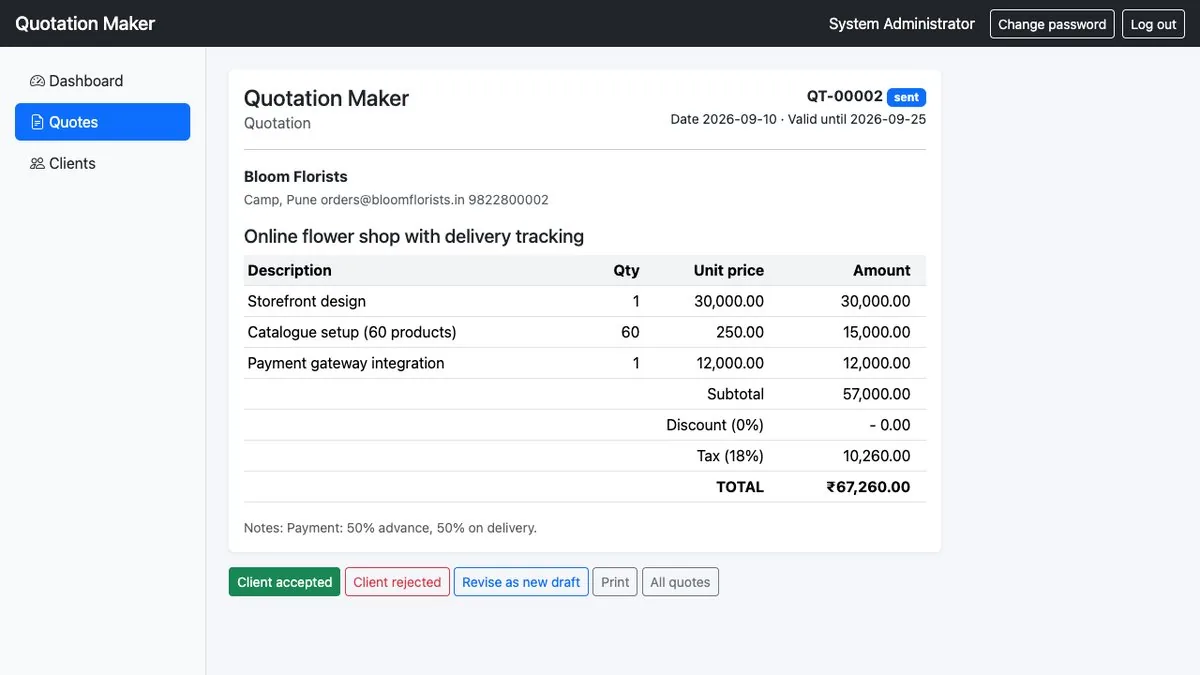
- Itemised quotes with quantity, unit price, discount % and tax %; exact totals
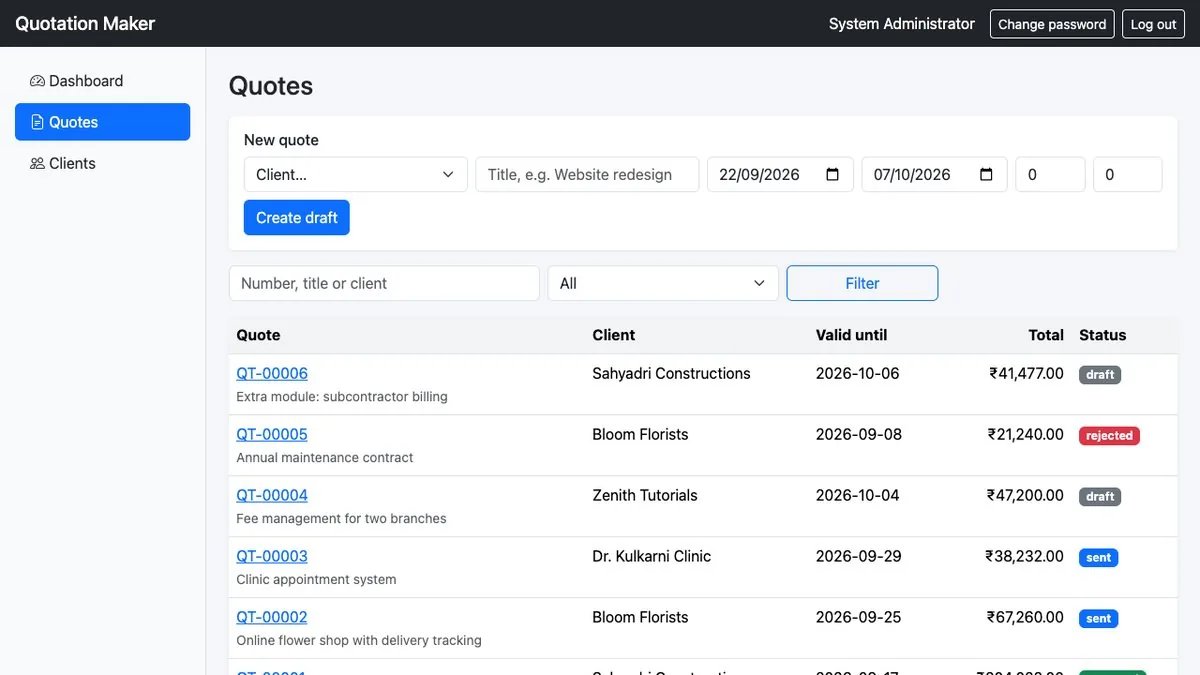
- Draft, sent, accepted, rejected; automatic Expired state after the valid-until date
- Sending locks items; "Revise as new draft" copies and links to the original
- Printable quotation; quote numbers that never repeat
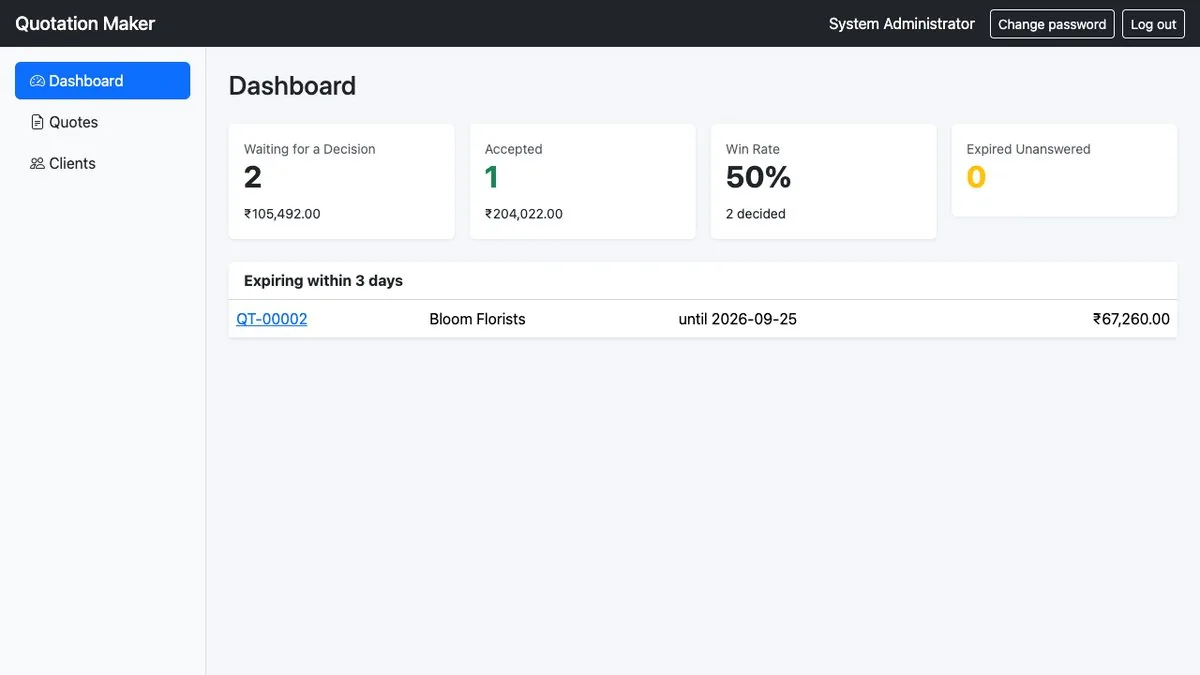
- Dashboard with win rate and quotes about to expire
- Full PHP + MySQL source code; one-time purchase
The full list of what is in the download (8 items from the README) is on the product page.
Screenshots
From the application itself, with sample data.
A good fit if… and not if…
Good fit
- Contractors, suppliers, agencies and workshops sending written quotes
- Anyone who wants validity and revisions handled properly
- Developers adding quoting to a client's system
Not the right tool when
- Turning an accepted quote into an invoice automatically (see the Invoice Generator)
- Emailing or PDF generation — use the Print view
- Multi-user logins or approval chains
Questions contractors, suppliers & agencies ask
Can I edit a sent quote?
No — sending locks the items. Use "Revise as new draft": the copy is linked to the original and gets its own number.
What happens when a quote expires?
A sent quote past its valid-until date shows as Expired and cannot be accepted; one valid until today still can.
Does it make invoices?
No. The Simple Invoice & Billing Generator does; they share the clients/line-items idea but are separate products.
Can I email a quote?
Not from the app; print or save the printable view and send it.
Are totals exact?
Yes — money is worked in paise, so discount and tax never produce rounding errors.
Can I see it first?
Yes — preview pages with sample data.