Simple Stock In/Out Tracker · for Small shops, workshops & stores
A stock in / stock out ledger that can never go negative
Record what comes in and what goes out, with a note of the supplier or the person it went to; the balance is always the sum of the history, issuing more than you have is refused, and two people issuing at the same moment cannot oversell. The dashboard shows what is low or out.
One-time payment · full source code · instant download · optional installation add-on · non-refundable
Sound familiar?
- The stock sheet says twelve, the shelf says four, and the difference is a mystery.
- Someone "corrected" a quantity and the history no longer explains the balance.
- Reordering is noticed when a customer asks and the item is gone.
- Inventory software wants barcodes, suppliers and purchase orders before it lets you count.
How it works
- 1
Register items
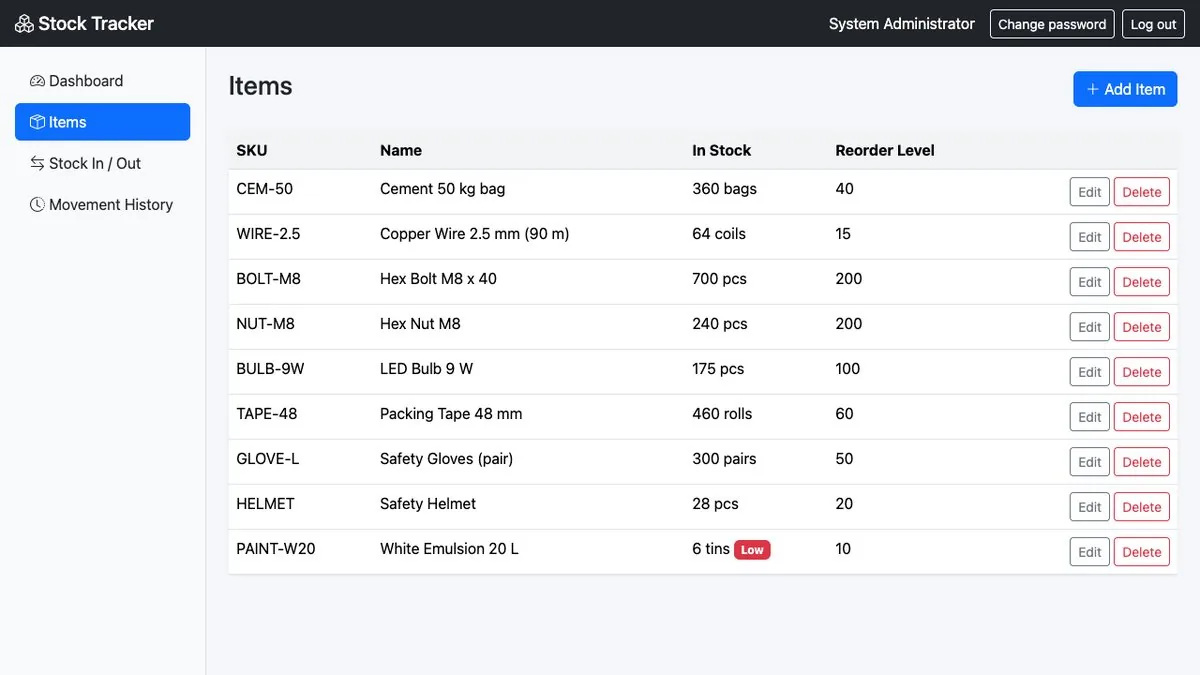
SKU, name, unit (pcs, kg, litre…), reorder level and an optional opening stock.
- 2
Record movements
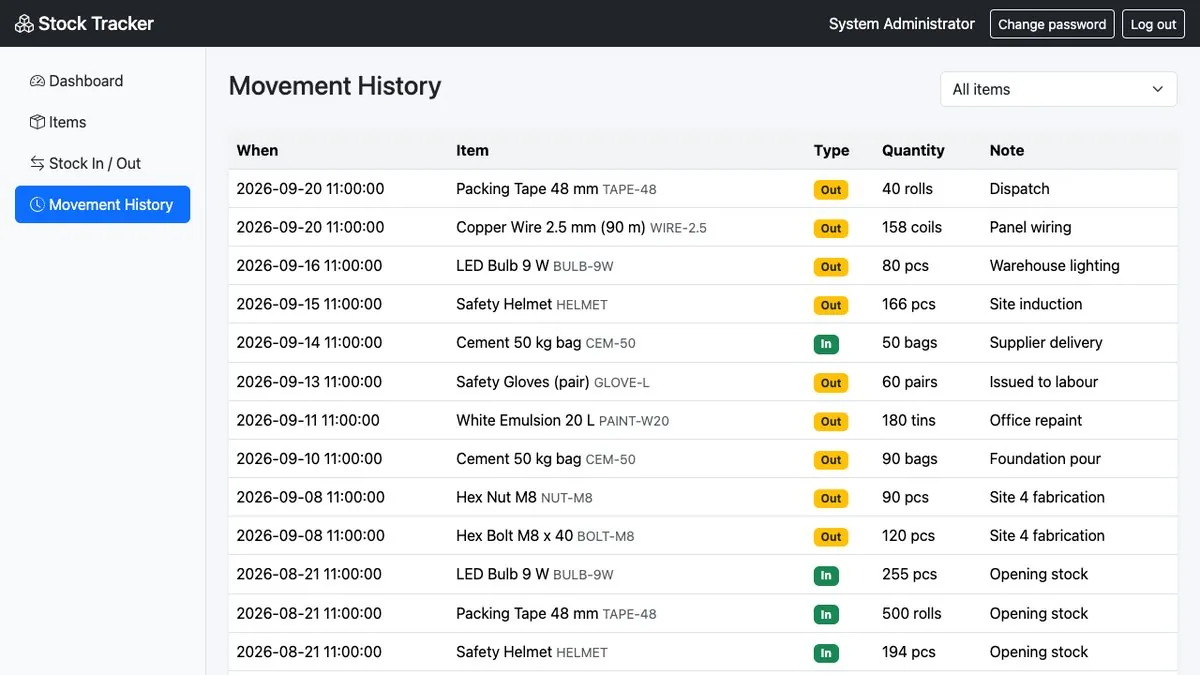
Stock in with the supplier; stock out with who it went to or why. The item edit screen deliberately has no quantity field — balances change only through movements.
- 3
Watch the dashboard
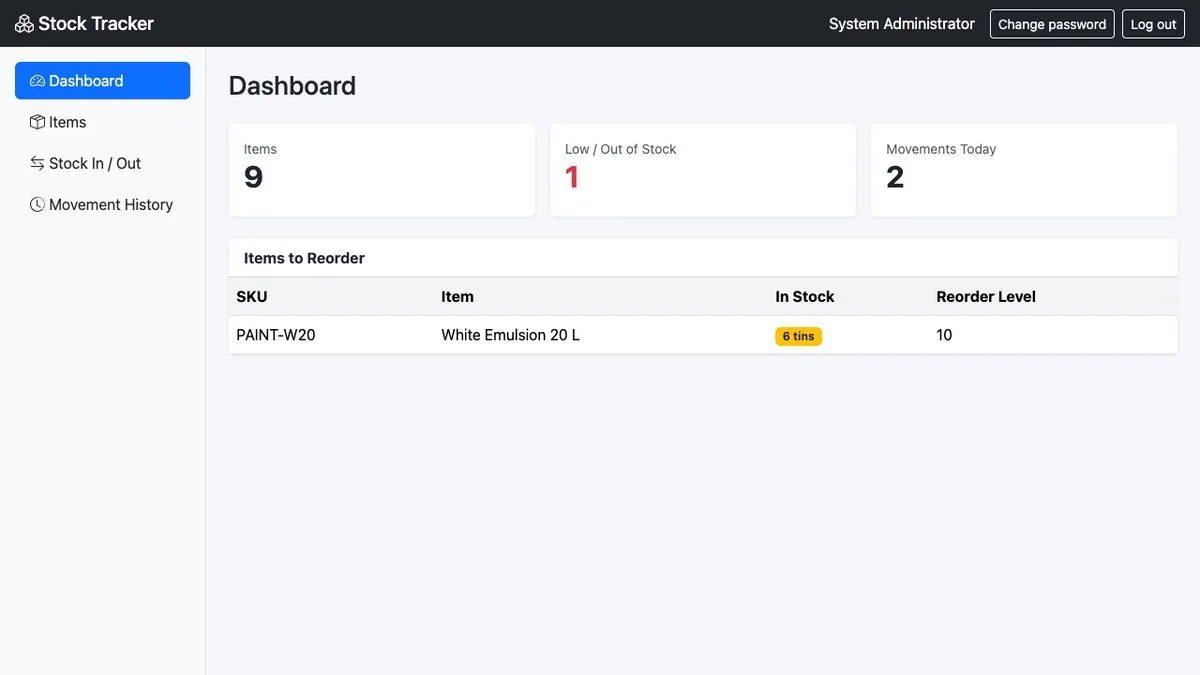
Item count, low and out-of-stock list, movements today; movement history filterable per item.
Nothing is changed in your ad accounts automatically: every recommendation is approved and applied by you, and drafted campaigns arrive paused.
What you get
- Item register with SKU, unit, reorder level and opening stock
- Stock in / out entries with notes; balance equals the recorded history
- Stock can never go negative; concurrent issues cannot oversell (database transaction with the item locked)
- Dashboard with low/out-of-stock list and today's movements; per-item history
- Items with history cannot be deleted
- Full PHP + MySQL source code; one-time purchase
The full list of what is in the download (7 items from the README) is on the product page.
Screenshots
From the application itself, with sample data.
A good fit if… and not if…
Good fit
- Shops, workshops, labs and stores that count a few hundred items
- Owners who want an honest balance more than a POS
- Developers adding stock control to a client's system
Not the right tool when
- Purchase orders, suppliers, barcodes, batches or expiry dates
- Multiple warehouses or stock valuation
- Point of sale or billing
Questions small shops, workshops & stores ask
Why can't I just edit the quantity?
By design: the balance is the sum of recorded movements, so the history always explains the number. Record a stock-in or stock-out with a note instead.
What if two people issue the last item at once?
Each movement runs in a database transaction with the item row locked, so the second one is refused with the real available quantity.
Does it scan barcodes?
No. Items are found by SKU or name; a scanner that types into the search box would work.
Can I track expiry or batches?
Not in this edition.
Can I delete an item?
Only if it has no movement history; otherwise it stays for the record.
Can I see it first?
Yes — preview pages with sample data.