AI Ads Planner (Google & Meta) · for Small agencies
AI Ads Planner for small agencies: one review routine, white-label option
Every account manager runs the same routine: import or sync, read the AI's recommendations with their reasons, approve with the client, apply, mark done. The approval and activity pages become the client's audit trail, and the planner drafts pitch campaigns in minutes. Under the Agency licence it runs white-label on your own hosting.
One-time payment · full source code · instant download · optional installation add-on · non-refundable
Sound familiar?
- A junior manager misses the campaign that stopped converting until the client notices.
- Reporting day: two platforms, ten accounts, one spreadsheet, every month.
- Reporting SaaS bills per account and per seat; the margin on small clients disappears.
- Building your own automation needs Google and Meta API approvals most small agencies never get.
How it works
- 1
Deploy per client
One installation per client on your hosting, under your own name with the Agency licence. Each has its own database, API key and optional read-only Google Ads connection.
- 2
Standardise the review
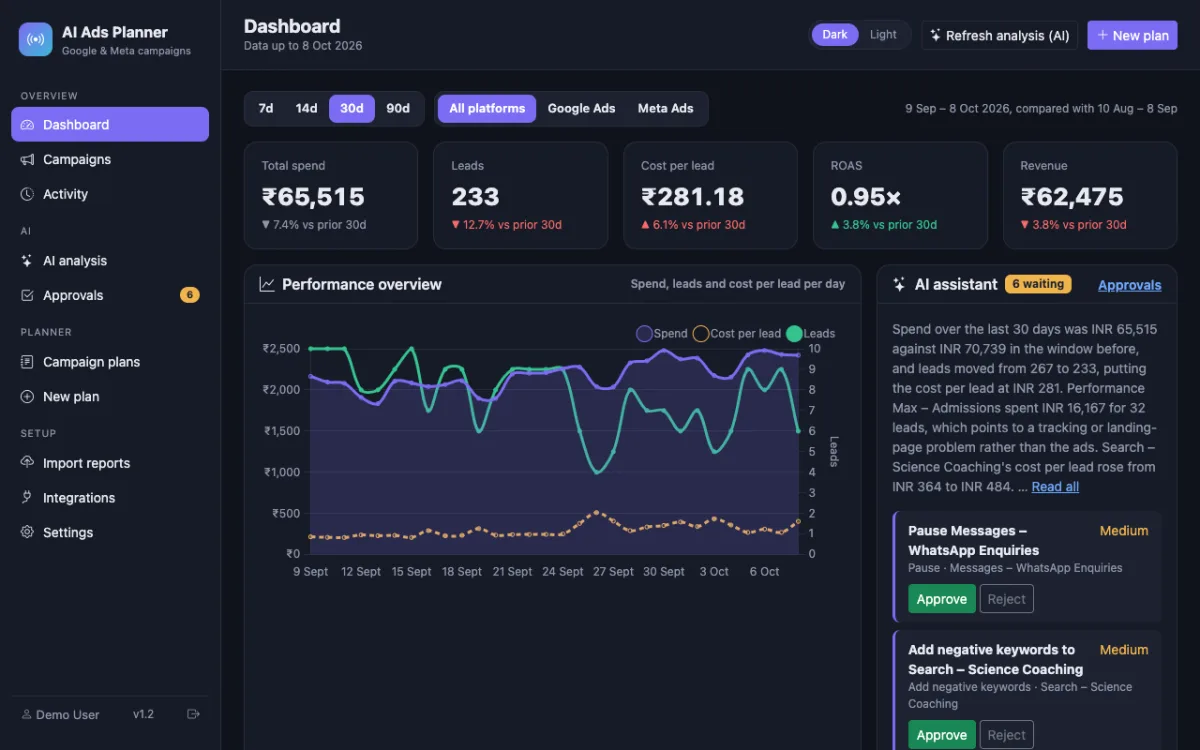
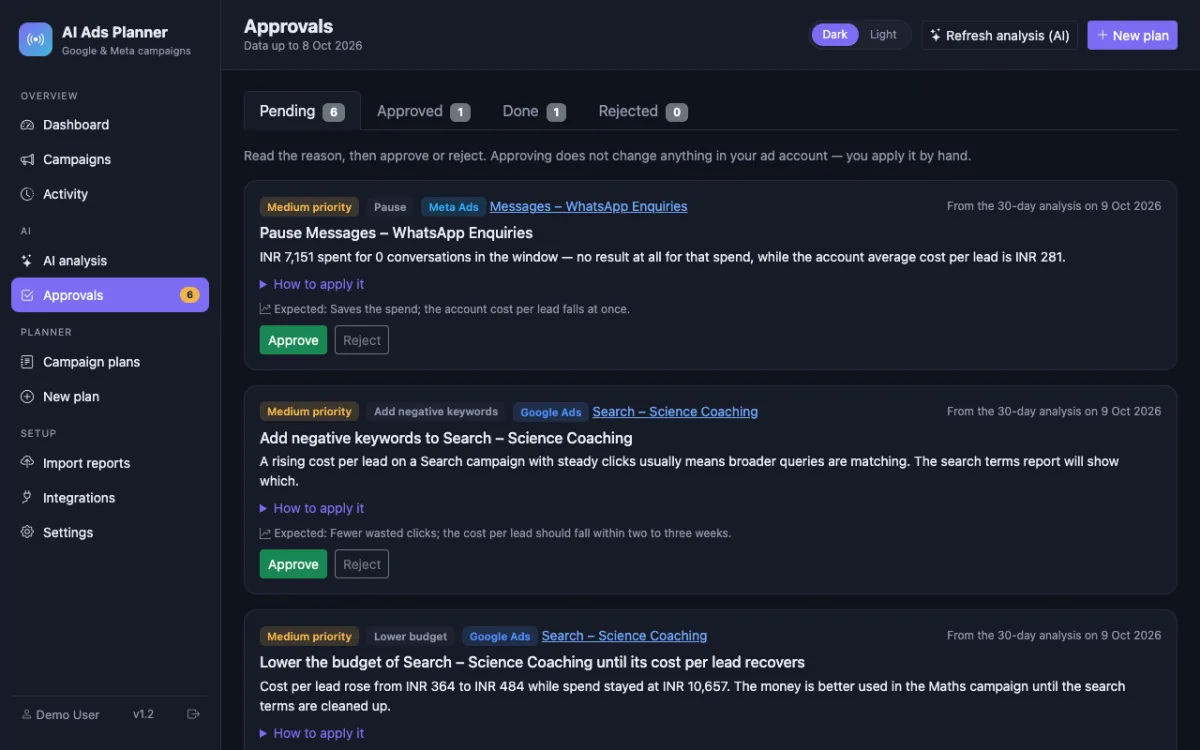
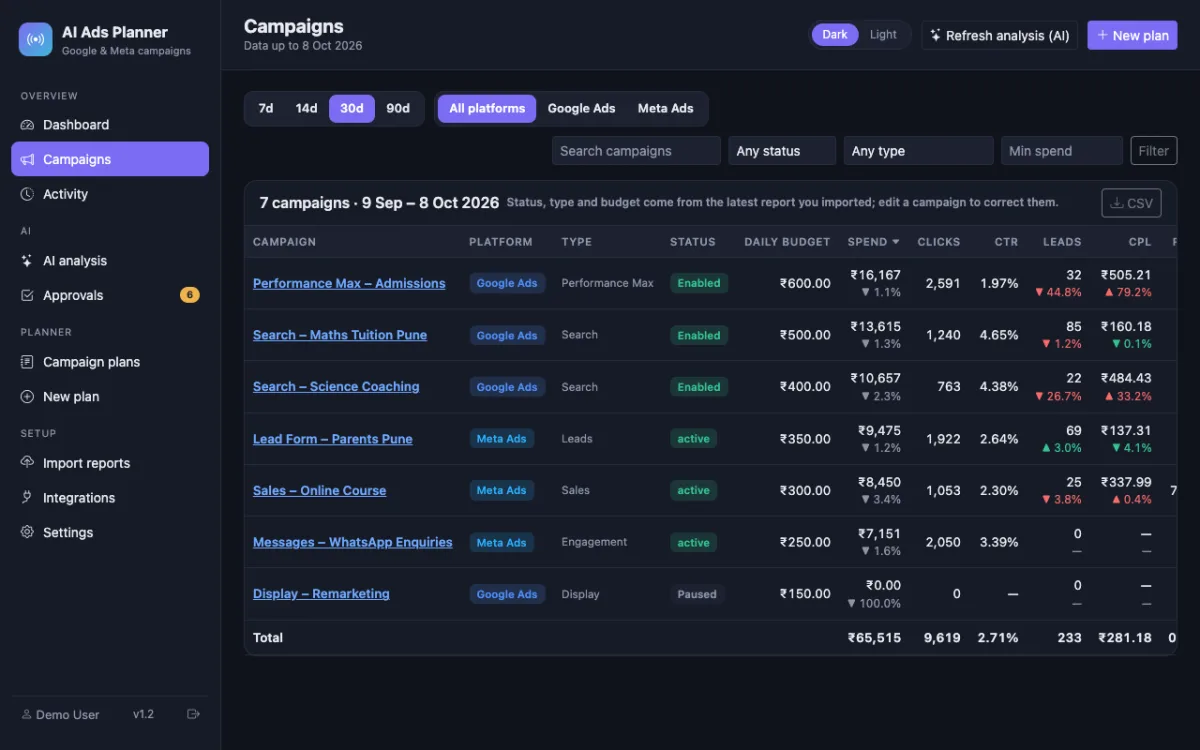
Managers import or refresh, run the analysis, and work the Approvals page: approve, reject, apply, mark done. The Activity page records who did what; the campaigns table exports to CSV for the client report.
- 3
Pitch faster
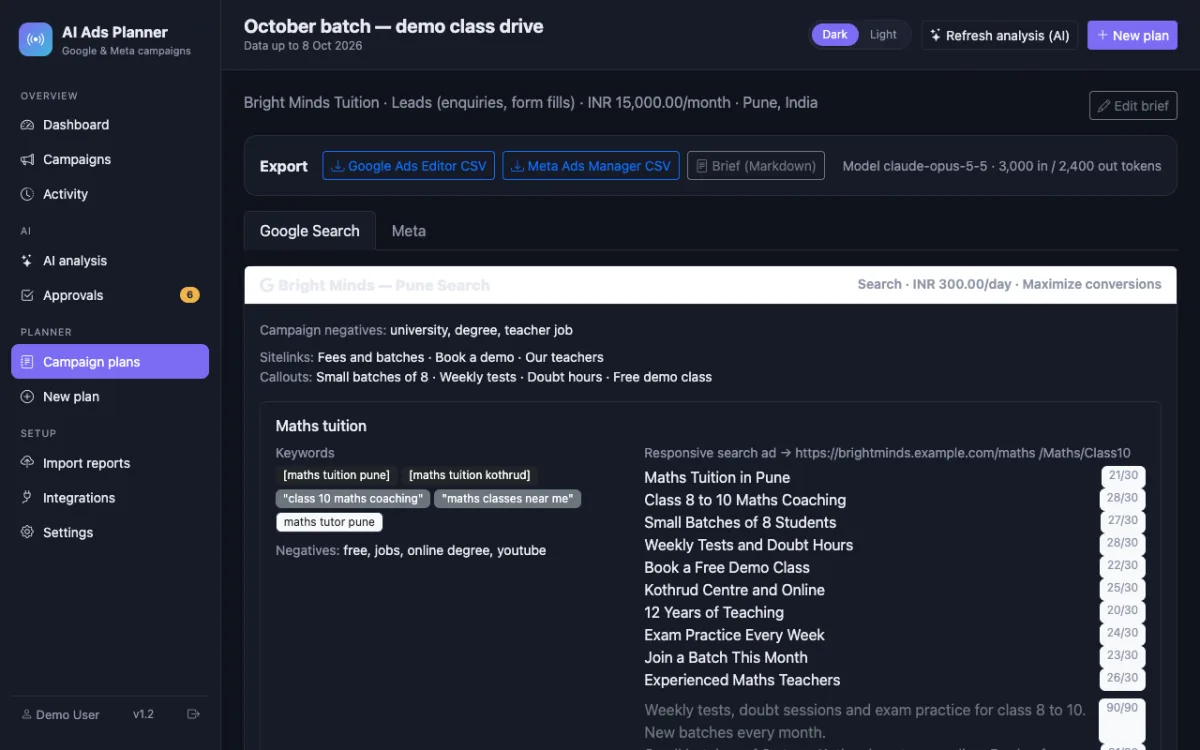
For a prospect, fill in the brief and get a Google Search and a Meta campaign structure with keywords, ads, audiences and budgets split — exported as a readable brief and as import files — in minutes instead of a day.
Nothing is changed in your ad accounts automatically: every recommendation is approved and applied by you, and drafted campaigns arrive paused.
What you get
- A consistent review routine with an approval trail per client
- Dashboards that cost nothing per seat or per account after the purchase
- Pitch drafts: Search and Meta campaign structures from a brief, checked against platform limits
- Agency licence (4× the listed price): white-label, hosted use for clients, attribution removed
- Full source code to add your own fields, languages, branding or exports
- No ad-platform API approval needed for the dashboard; the optional Google Ads connection is read-only
The full list of what is in the download (14 items from the README) is on the product page.
Screenshots
From the application itself, with sample data.
A good fit if… and not if…
Good fit
- Agencies with five to fifty client accounts
- Teams that want a documented, repeatable review process
- Agencies that already sell strategy and want the reporting cost down
Not the right tool when
- A multi-tenant platform with one login for all clients — each install is single-tenant
- Automatic execution of changes in client accounts
- Enterprise accounts with hundreds of campaigns per client (the planner and analysis are sized for small accounts)
Questions small agencies ask
Is it multi-tenant?
No. One installation serves one ad account per platform. Agencies install one copy per client on their own hosting; the source code is yours if you want to build a shared login on top.
What does the Agency licence allow?
Everything in Regular plus white-label use (attribution removed) and offering the dashboard to clients as a hosted service. It costs 4× the listed price; the licence page has the plain-language terms.
Can our developers modify it?
Yes. It is plain PHP and MySQL with no framework and no Composer dependencies — Bootstrap and Chart.js from a CDN, cURL to the APIs.
Who pays for the AI?
Each installation has its own Anthropic API key setting, so you can use the agency's key or the client's. Usage is billed by tokens; every run shows the tokens used.
Does it automate changes?
No, and the copy says so everywhere. Recommendations are approved and applied by a person; the Google Ads connection only reads.
Is there support?
Email support for installation and setup problems is included with the purchase.