AI Ads Planner (Google & Meta) · for Local service businesses
AI Ads Planner for clinics, salons, gyms and local services
Clinics, salons, gyms, repair and home services: know what each enquiry costs on Google and on Meta, get plain-language suggestions you can act on in ten minutes a week, and plan the next offer campaign yourself — on your own computer, with your own API key.
One-time payment · full source code · instant download · optional installation add-on · non-refundable
Sound familiar?
- The Instagram post was boosted, the Google campaign is running, and nobody knows which one brought the calls.
- Agency retainers are built for bigger budgets than a local business spends.
- Ads dashboards are built for agencies: forty columns, no answer to "what should I change?".
- Setting up a new offer campaign properly means a day in Ads Manager and Google Ads.
How it works
- 1
Export, import, read
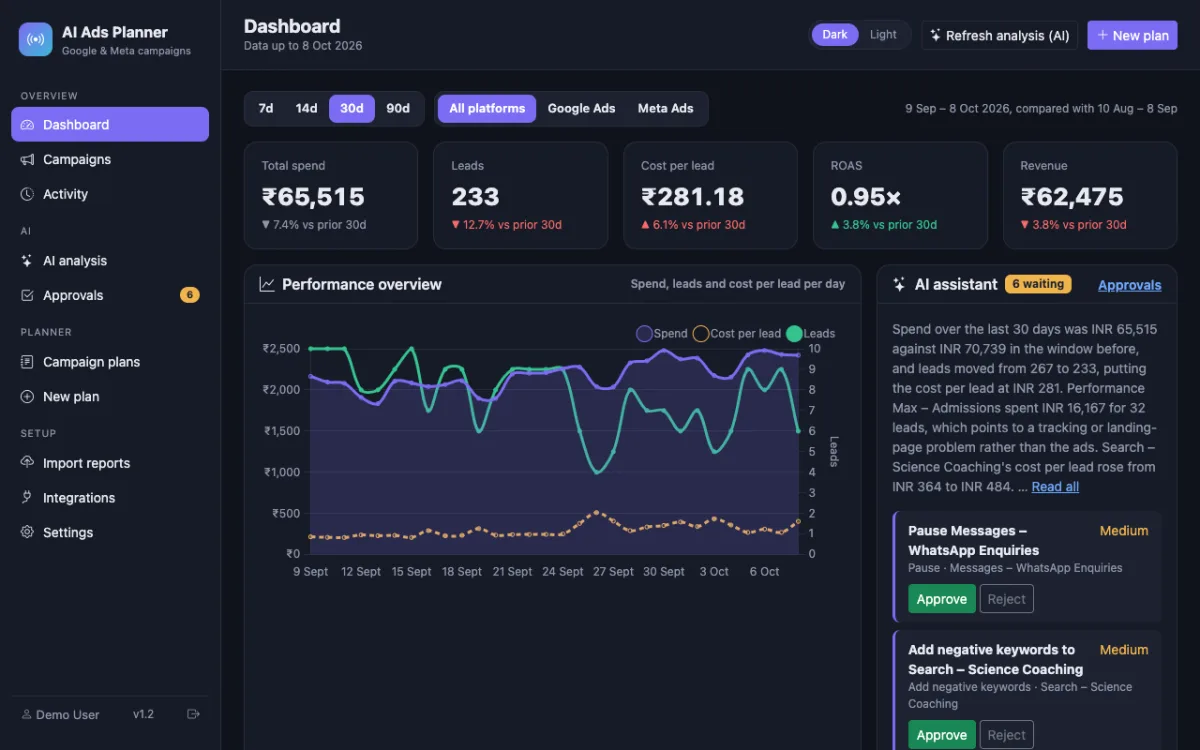
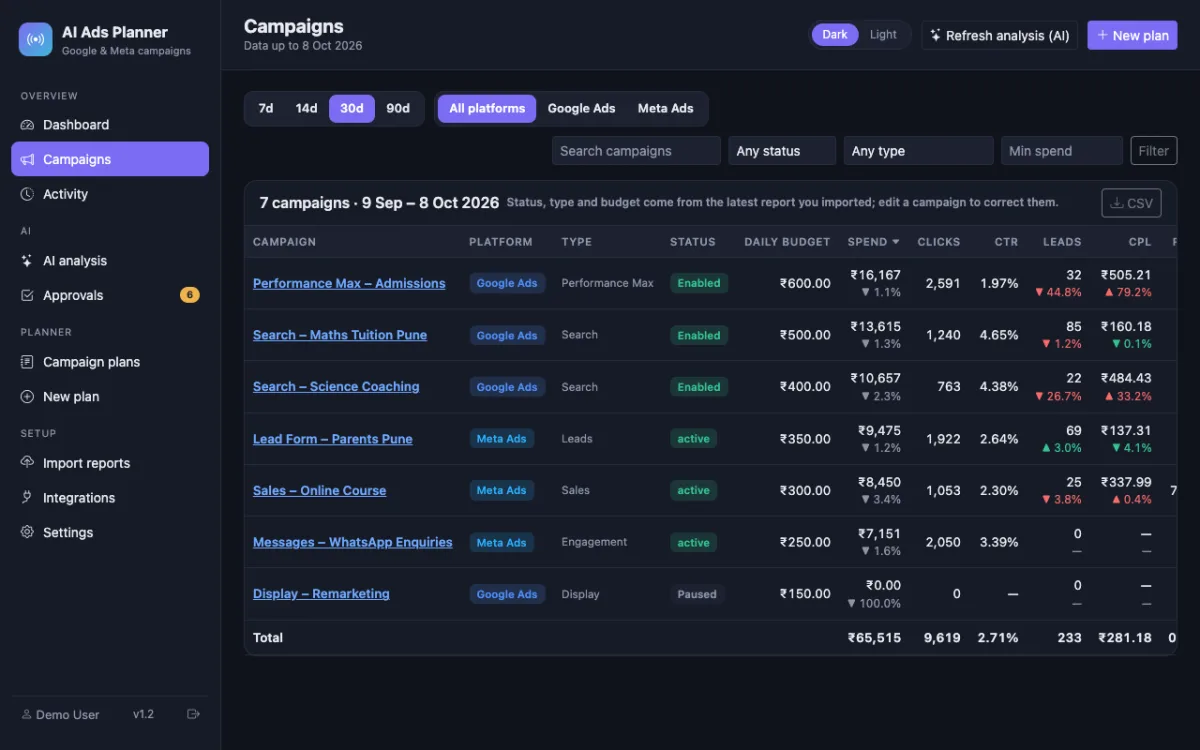
Download the campaign report from Google Ads and from Ads Manager (the guide shows where), upload them, and the dashboard shows spend, enquiries and cost per enquiry for every campaign with the change against last period. Or connect Google Ads read-only and press Refresh data.
- 2
Ten minutes a week
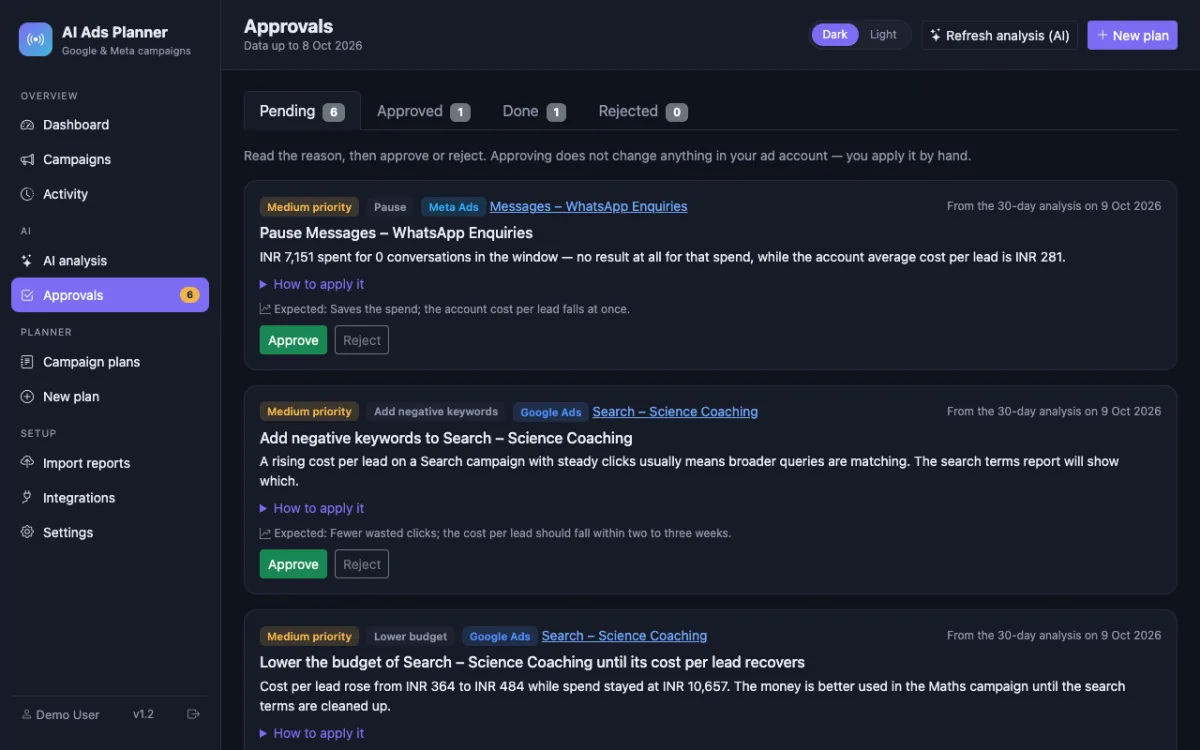
Press Refresh analysis. The AI reads the numbers and lists what to pause, where to move budget, which campaign needs its tracking checked — with the reason and the exact steps. Approve what makes sense and do it in the ad platform.
- 3
Plan an offer
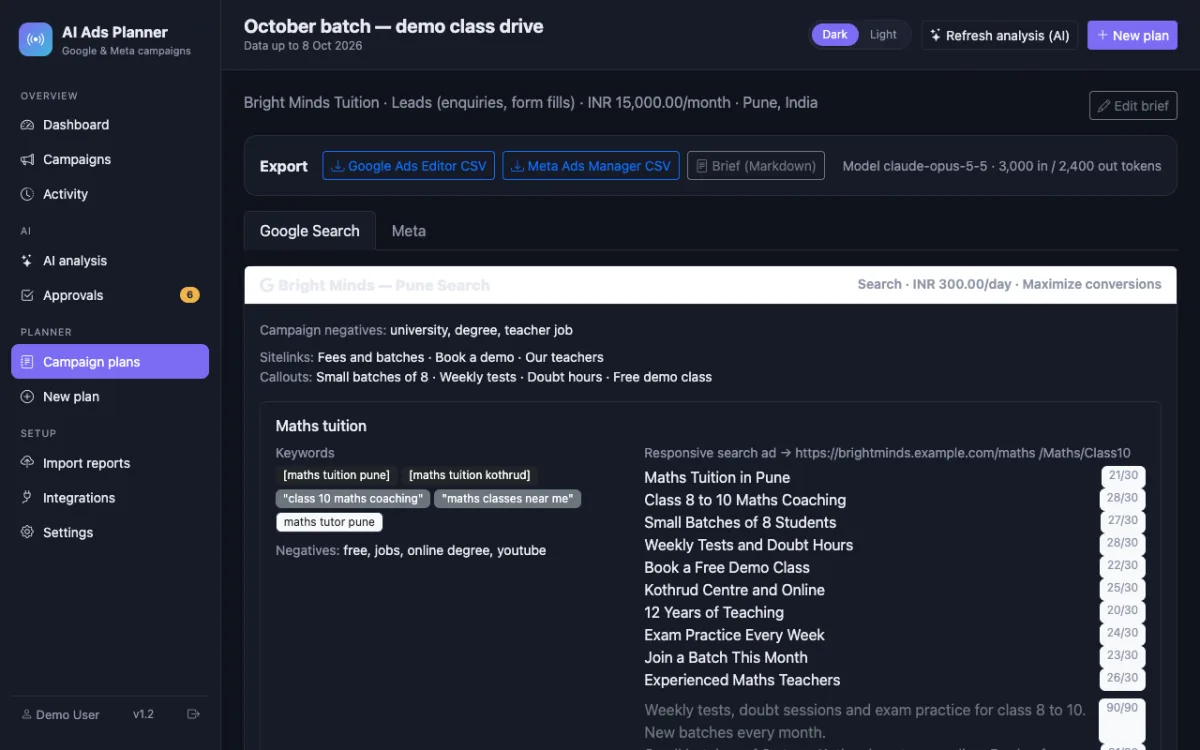
Describe the offer in a brief (service, area, price, what makes you different). The planner drafts a Google Search campaign and a Meta campaign with ad text, keywords and audiences; import them paused and switch on when ready.
Nothing is changed in your ad accounts automatically: every recommendation is approved and applied by you, and drafted campaigns arrive paused.
What you get
- Cost per enquiry per campaign and per platform, with the change versus the previous period
- Plain-language AI suggestions with reasons and steps, approved one by one
- Drafted campaigns for a new offer, with import files that arrive paused
- Guide chapters for exporting reports, running a Meta campaign step by step and boosting an Instagram post
- Sample data built in, so you can explore before your first import
- Runs on a Windows or Mac PC with XAMPP; one-time purchase, your own API key
The full list of what is in the download (14 items from the README) is on the product page.
Screenshots
From the application itself, with sample data.
A good fit if… and not if…
Good fit
- Businesses already running their own Google or Meta ads with a modest budget
- Owners or a front-desk person who can export a CSV and follow a guide
- Anyone who wants to understand the numbers before paying an agency
Not the right tool when
- You have no ads running yet and want them run for you
- You want changes applied in your account automatically
- Multi-location chains with many ad accounts
Questions local service businesses ask
How technical do I need to be?
If you can install a program on your PC and follow a guide with screenshots, you can run it: XAMPP, import a database file, open a web page. Installation on your hosting is also available as an add-on at checkout.
Where do the numbers come from?
From the reports you export from Google Ads and Meta Ads Manager — the same numbers you see there, one row per campaign per day. Nothing is estimated.
Do WhatsApp or message campaigns count?
Yes. Meta's "Results" column (messages started, leads, purchases) is imported as your enquiries; you can choose the column in the mapping step.
Does the AI see my customers' data?
No. The analysis sends only totals and per-campaign numbers — spend, clicks, enquiries, budgets — never names, phone numbers or ad text.
What will the AI cost me?
Anthropic bills your own API key by tokens; one analysis of a small account uses a few thousand tokens. The tool shows the usage every time. Importing and reading the dashboard are free.
Can I boost an Instagram post from it?
Boosting is done in the Instagram app or Business Suite — the guide walks through it step by step — and the boosted post then appears in your Ads Manager report and in the dashboard.