AI Ads Planner (Google & Meta) · for Freelancers running client ad accounts
AI Ads Planner for freelancers who run client ad accounts
Give each client their own self-hosted dashboard, review every account with the same AI-assisted routine, and hand over an action list with reasons instead of a spreadsheet. Draft the next campaign from the client's brief in minutes, and bill for the strategy, not the reporting.
One-time payment · full source code · instant download · optional installation add-on · non-refundable
Sound familiar?
- Weekly client reports are assembled by hand from two platforms with two different column names.
- Clients ask "what did you change, and why?" — and the answer lives in your head.
- A new campaign structure — ad groups, match types, negatives, fifteen headlines, Meta ad sets — takes a day you cannot bill in full.
- Reporting tools are priced per seat and per account, every month, whether the client stays or not.
How it works
- 1
One install per client
Install a copy on your hosting (a sub-folder per client) or on the client's own hosting. The Regular licence covers client projects; a hosted service you charge for needs the Agency licence.
- 2
Review with the client
Import the client's reports or connect their Google Ads read-only. Run the AI analysis, go through the recommendations together — each has the reason and the steps — approve or reject, apply the approved ones, mark them done. The Approvals and Activity pages are your record of what changed and why.
- 3
Draft, then import
Write the brief from the client's answers; the planner drafts the Google Search and Meta campaigns, checks the limits, and exports the Google Ads Editor and Ads Manager files plus a readable brief the client can approve. Everything imports paused.
Nothing is changed in your ad accounts automatically: every recommendation is approved and applied by you, and drafted campaigns arrive paused.
What you get
- A dashboard per client with cost per lead, ROAS and the change against the prior period for every campaign
- AI recommendations with reasons and steps, an approval workflow, and an activity log you can show the client
- Campaign table export (CSV) for your own report, and a Markdown brief for every plan
- Drafted Google Search and Meta campaigns from a brief, with import files that arrive paused
- Regular licence: unlimited client projects from one purchase; Agency licence for white-label or hosted use
- Full PHP source code — add your own fields, branding or language
The full list of what is in the download (14 items from the README) is on the product page.
Screenshots
From the application itself, with sample data.
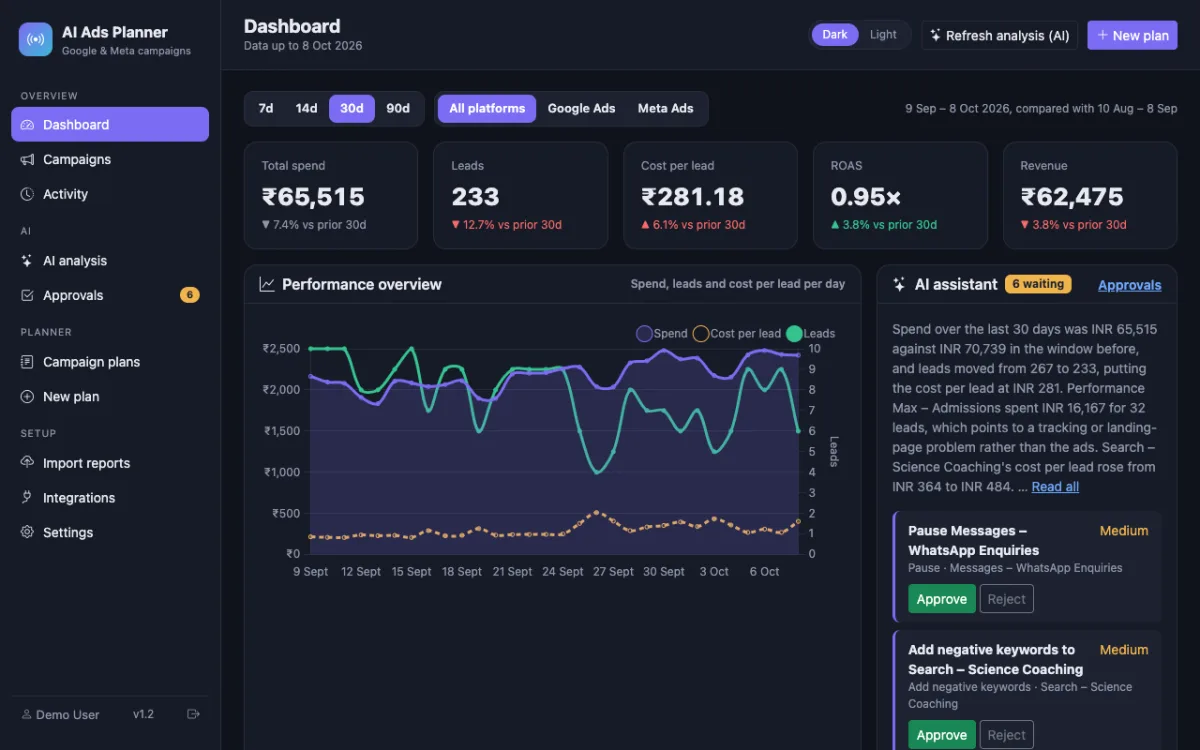
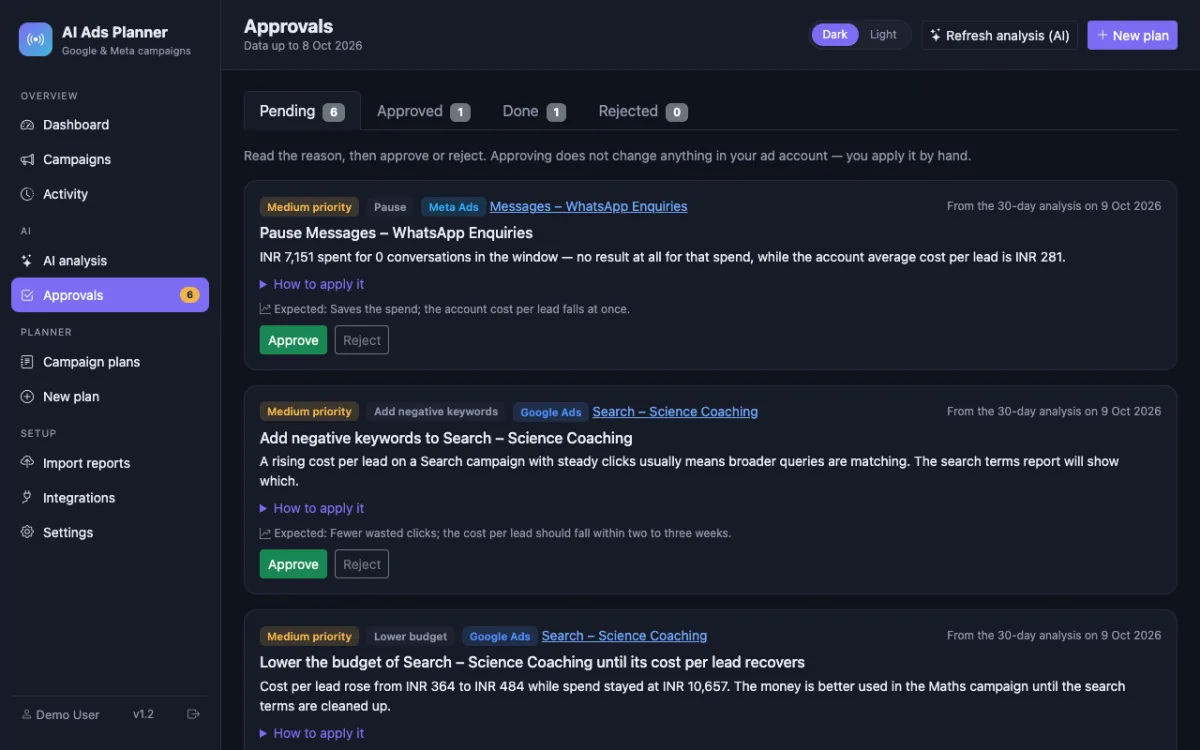
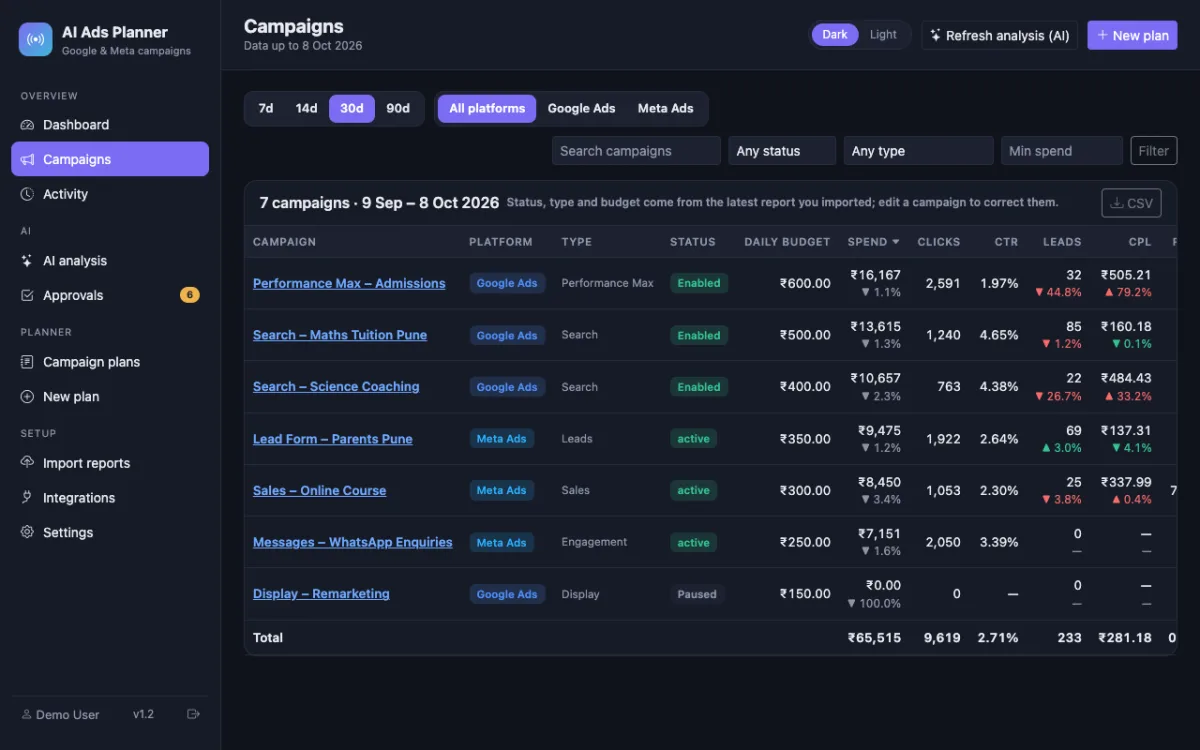
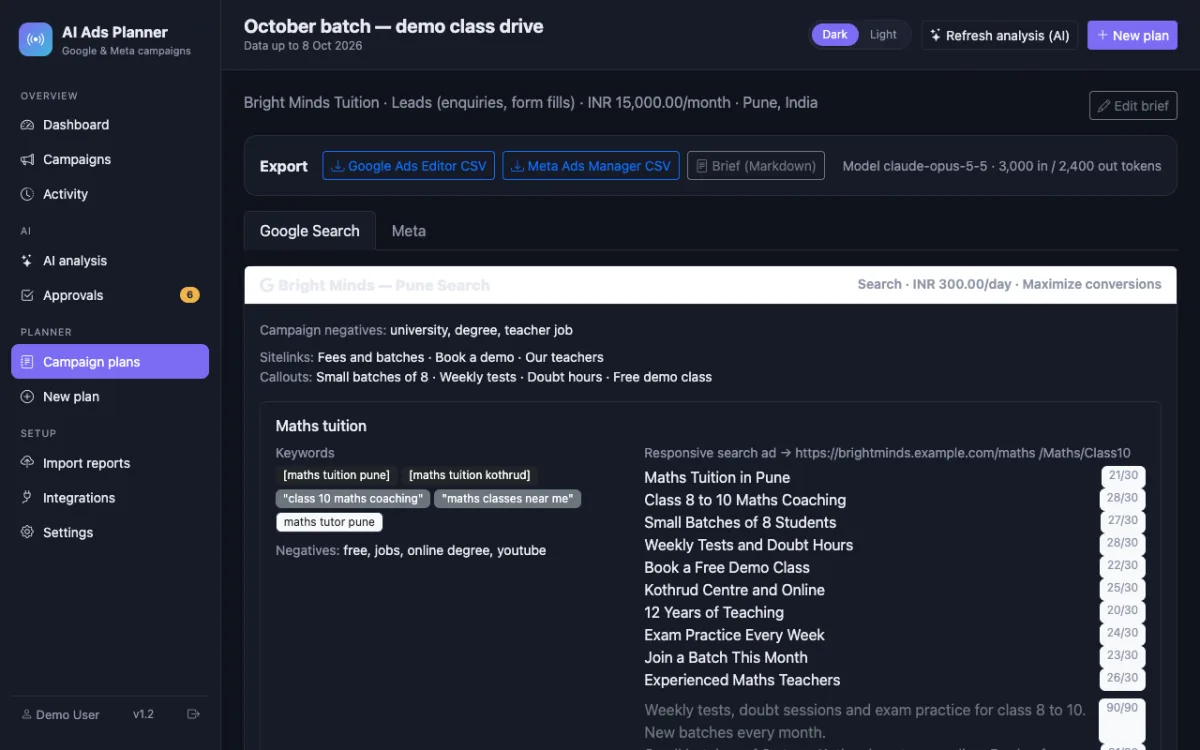
A good fit if… and not if…
Good fit
- Freelancers managing two to fifteen client accounts
- Consultants who want an approval trail for every change
- Anyone who already uses Google Ads Editor and Ads Manager and wants the thinking done faster
Not the right tool when
- A multi-tenant SaaS with one login across all clients — each install is single-tenant
- Automatic changes in client accounts — every action is applied by you
- Teams needing seats, roles and permissions
Questions freelancers running client ad accounts ask
Can I use it for paid client work?
Yes. The Regular licence covers deploying it for clients as part of your freelance work, with no limit on the number of client projects. Charging clients for a hosted dashboard you run needs the Agency licence — see the licence page.
How do I handle several clients?
One installation per client (a sub-folder or sub-domain each, with its own database), or one per project. Each has its own API key setting, so you can bill the AI usage to the client's key if you prefer.
Can I white-label it?
With the Agency licence you may remove the attribution and present it under your own name. The source code is yours to modify either way.
Can I connect each client's Google Ads?
Yes, per installation: the client signs in with their Google account on the Integrations page (or you do, with a user that has access to their account). The connection is read-only.
Does it replace Google Ads Editor or Ads Manager?
No. It plans and reviews; the platforms' own tools apply the changes. Drafted campaigns are imported through Google Ads Editor and the Ads Manager bulk import.
What does it cost to run?
One-time purchase. Plans and analyses use your (or the client's) Anthropic API key, billed by tokens; the dashboard itself has no running cost.