AI Ads Planner (Google & Meta) · for Coaching & tuition classes
AI Ads Planner for coaching and tuition classes
Run Google Search and Meta lead campaigns for your batches without an agency. See what every enquiry costs on each platform, let the AI point out what to pause or push, and draft the next admission-season campaign from a one-page brief — on your own PC, with your own API key.
One-time payment · full source code · instant download · optional installation add-on · non-refundable
Sound familiar?
- Admission-season money goes to Google and Meta, but the cost of an enquiry per platform stays a mystery until someone builds a spreadsheet.
- A retainer often costs more than the ad budget of a small class — and the monthly report arrives after the budget is spent.
- Setting up a Search campaign by hand — keywords, match types, negatives, fifteen headlines, a lead form — eats an evening per batch.
- Boosting Instagram posts without a plan buys likes, not admissions.
How it works
- 1
Bring in the numbers
Export the campaign report from Google Ads and from Ads Manager (one row per campaign per day) and import it — or connect Google Ads read-only and click Refresh data. Try it first with the built-in sample data from a tuition business.
- 2
Read, then approve
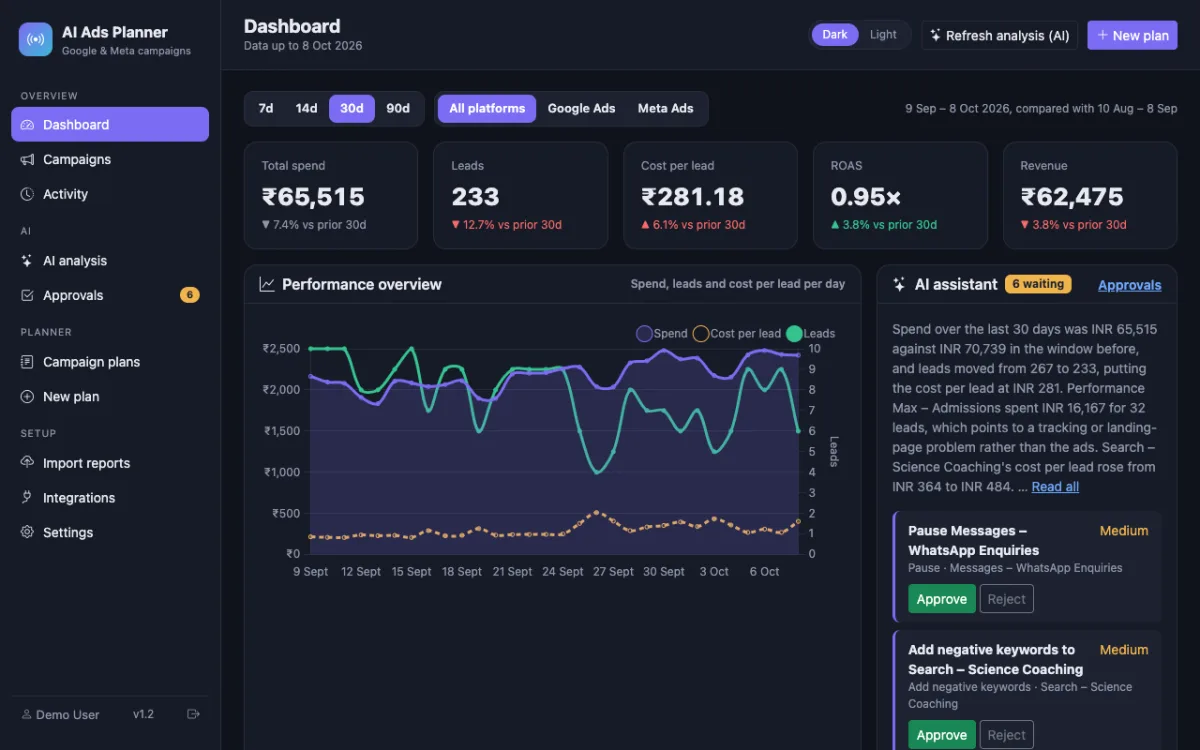
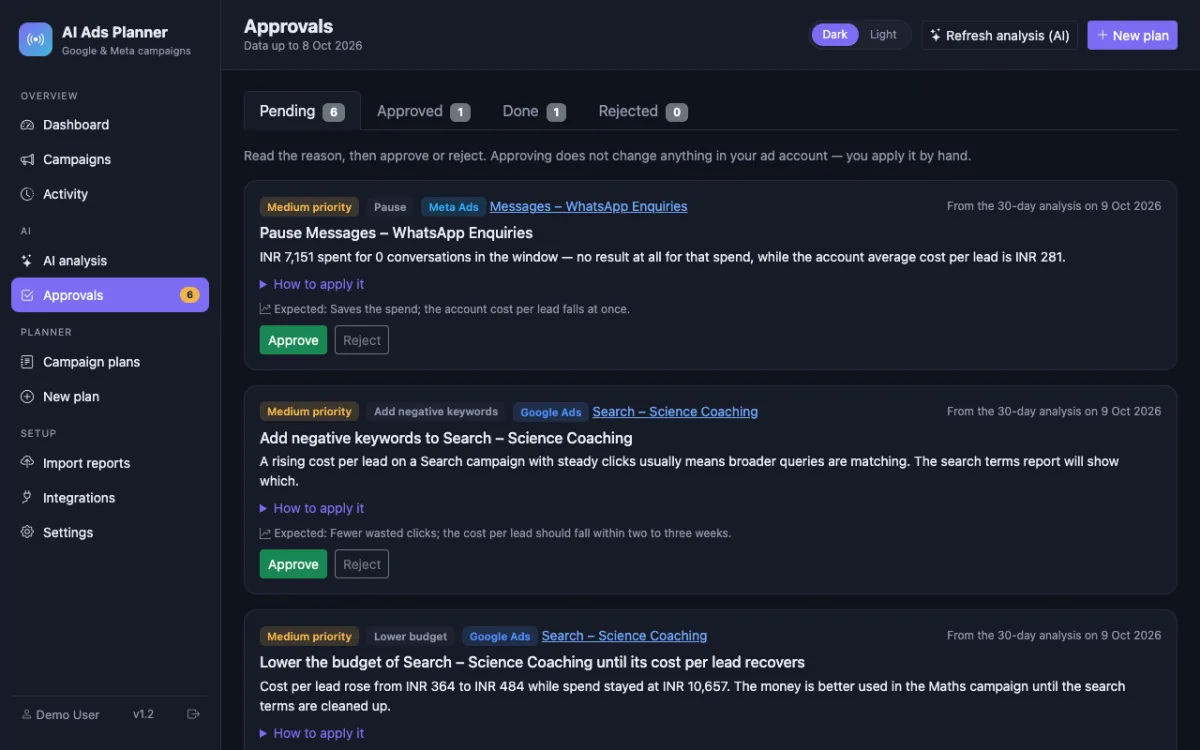
The dashboard shows spend, enquiries, cost per enquiry and the change against the previous period for every campaign. Click Refresh analysis: the AI reads only the numbers and returns 3–8 actions — pause, lower or raise a budget, add negative keywords, check tracking — each with the reason and the steps. You approve or reject; nothing changes in your account until you do it.
- 3
Plan the next batch
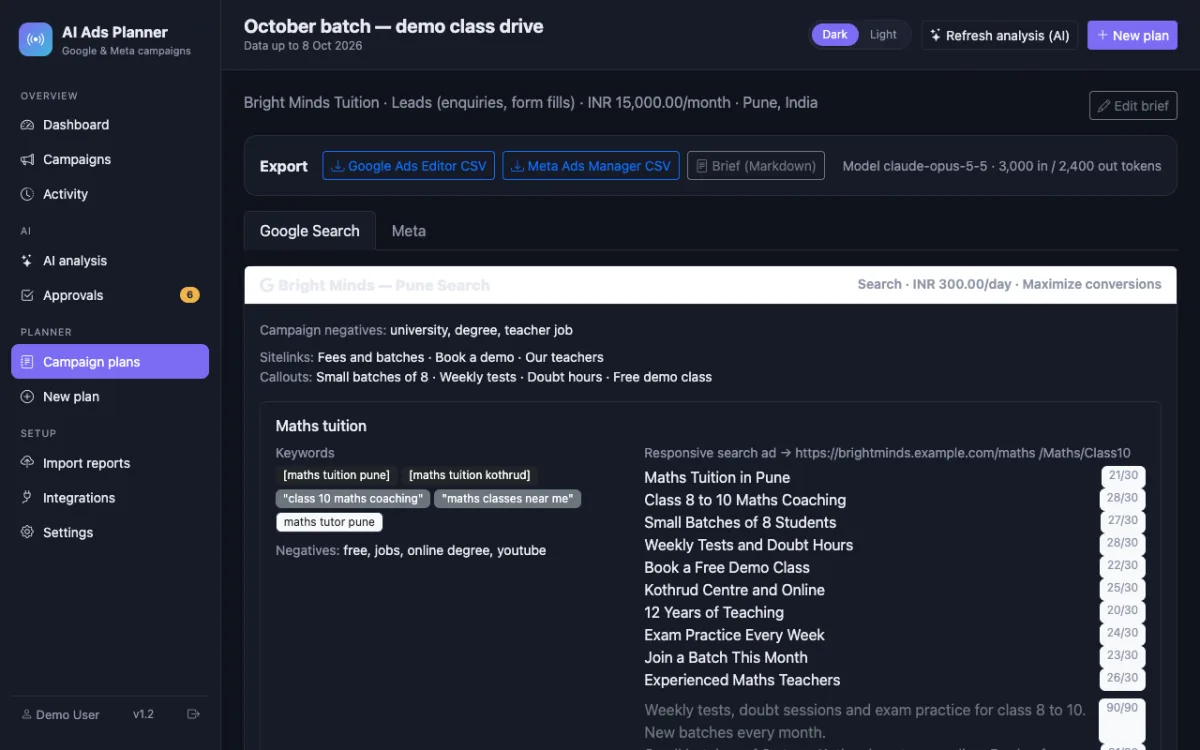
Write a short brief (classes, fees, location, free demo, selling points) and the planner drafts a Google Search campaign and a Meta campaign with ad sets and ads, checked against both platforms' limits. Import the files; everything arrives paused for your approval.
Nothing is changed in your ad accounts automatically: every recommendation is approved and applied by you, and drafted campaigns arrive paused.
What you get
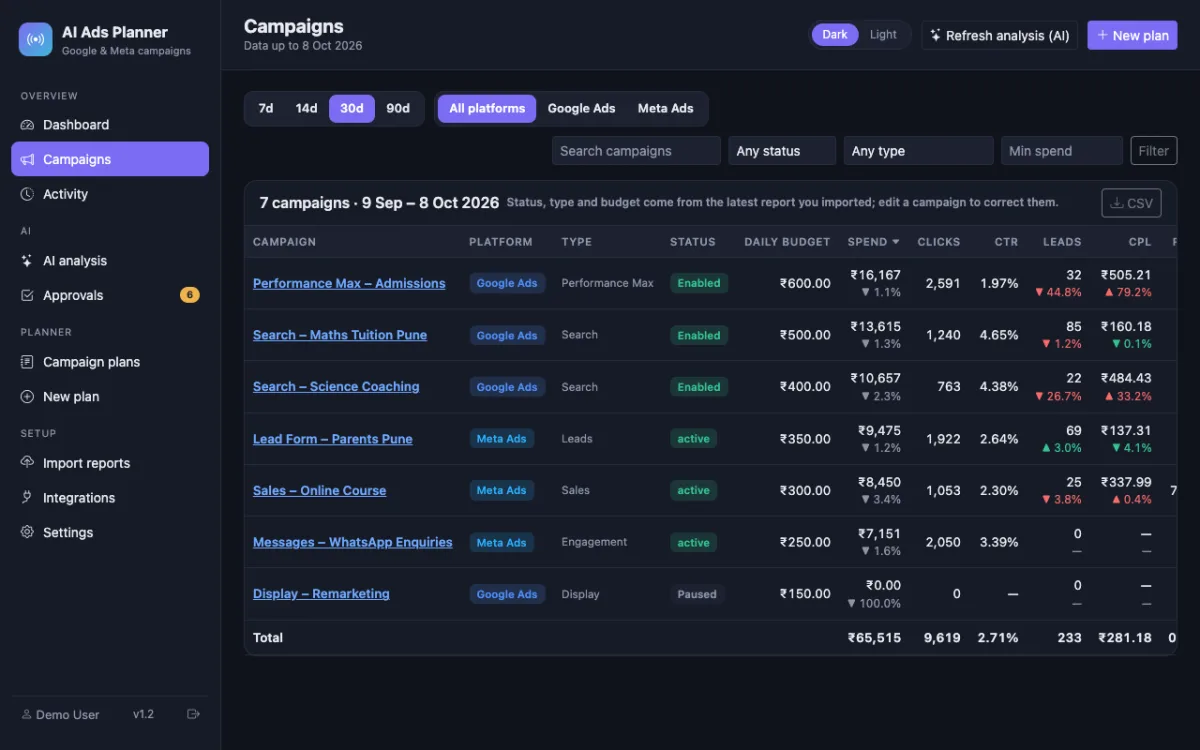
- Cost per enquiry for every campaign, Google and Meta on one screen, with the change versus the prior 7, 14, 30 or 90 days
- AI recommendations with the reason, the steps to apply them in Google Ads or Ads Manager, and an approval trail
- Draft campaigns for a new batch: keywords with match types, negatives, responsive search ads, Meta ad sets with locations, ages and interests, ads with image briefs
- Import files for Google Ads Editor and Meta Ads Manager — campaigns arrive paused
- Sample data from a tuition business built in, and a step-by-step guide for running a Meta campaign and boosting an Instagram post
- Runs on your own laptop with XAMPP or on your hosting; your own Anthropic API key, no monthly fee to us
The full list of what is in the download (14 items from the README) is on the product page.
Screenshots
From the application itself, with sample data.
A good fit if… and not if…
Good fit
- Classes already spending on Google or Meta ads and managing them in-house
- Owners or office staff who can export a CSV and follow a guide
- One ad account per platform, a handful of campaigns
Not the right tool when
- You have never run ads and want someone to run them for you — see the services page instead
- You want changes applied in your ad account automatically; here every action is yours to approve and apply
- You need one dashboard across many clients' accounts — that is the agency use case
Questions coaching & tuition classes ask
Does it run my ads for me?
No. It reads your campaign reports, explains them, suggests actions and drafts new campaigns. You approve each action and apply it in Google Ads or Ads Manager yourself, and you import the drafted campaigns yourself. Nothing is changed in your account automatically.
Do I need a developer to use it?
No. It installs on a Windows or Mac PC with XAMPP (free) in a few steps described in the README and the illustrated guide, or on any PHP hosting. The daily routine is: export a report, import it, read the dashboard.
What does the AI cost?
The planner and the analysis run on your own Anthropic API key, billed by Anthropic by tokens used — the tool shows the tokens for every run. Importing reports and reading the dashboard cost nothing.
Do boosted Instagram posts show up?
Yes. A boosted post appears in your Ads Manager campaign report as its own campaign, so it is imported like any other and its cost per enquiry sits next to your campaigns. The guide has the boost steps.
Do I need Google Ads API approval?
Not for the dashboard: the CSV import needs no approval at all. The optional read-only Google Ads connection uses your own free Google Cloud project; the guide explains the access level Google must grant.
Is there a monthly fee?
No. One-time payment, full source code, Regular licence for your own business. Email support is included.